Nacon Revolution X Unlimited - XBOX / PC Controller with a KILLER FEATURE
Have you ever heard the saying, Never show up to a gunfight with a knife? Well, that's what most people do when playing online with a regular Xbox controller. And this controller right here, the Nacon Revolution X Unlimited, is like a machine gun because the amount of customisation and options you have here is incredible.
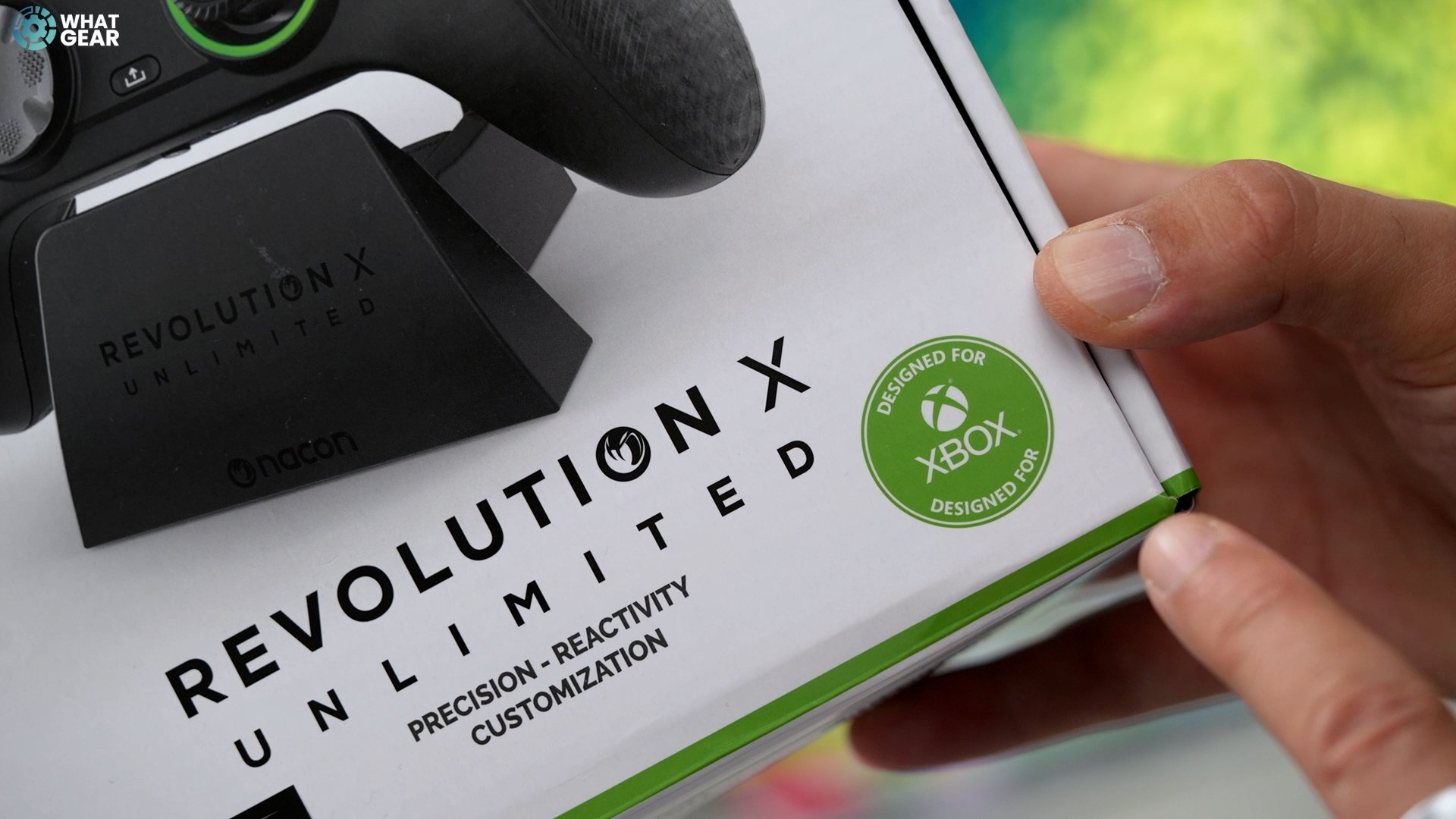
This controller is officially licensed by Xbox and designed for Xbox, and they also throw in an Xbox Game Pass and a one-month free Ultimate trial. Even though it's designed for Xbox, you can use it with your PC. And in fact, there are some advantages that PC gamers can enjoy. We'll come back to those. The price of this at launch is £179 here in the UK, and at the end of this, let me know whether all of the features this controller has are worth that price tag.
Design
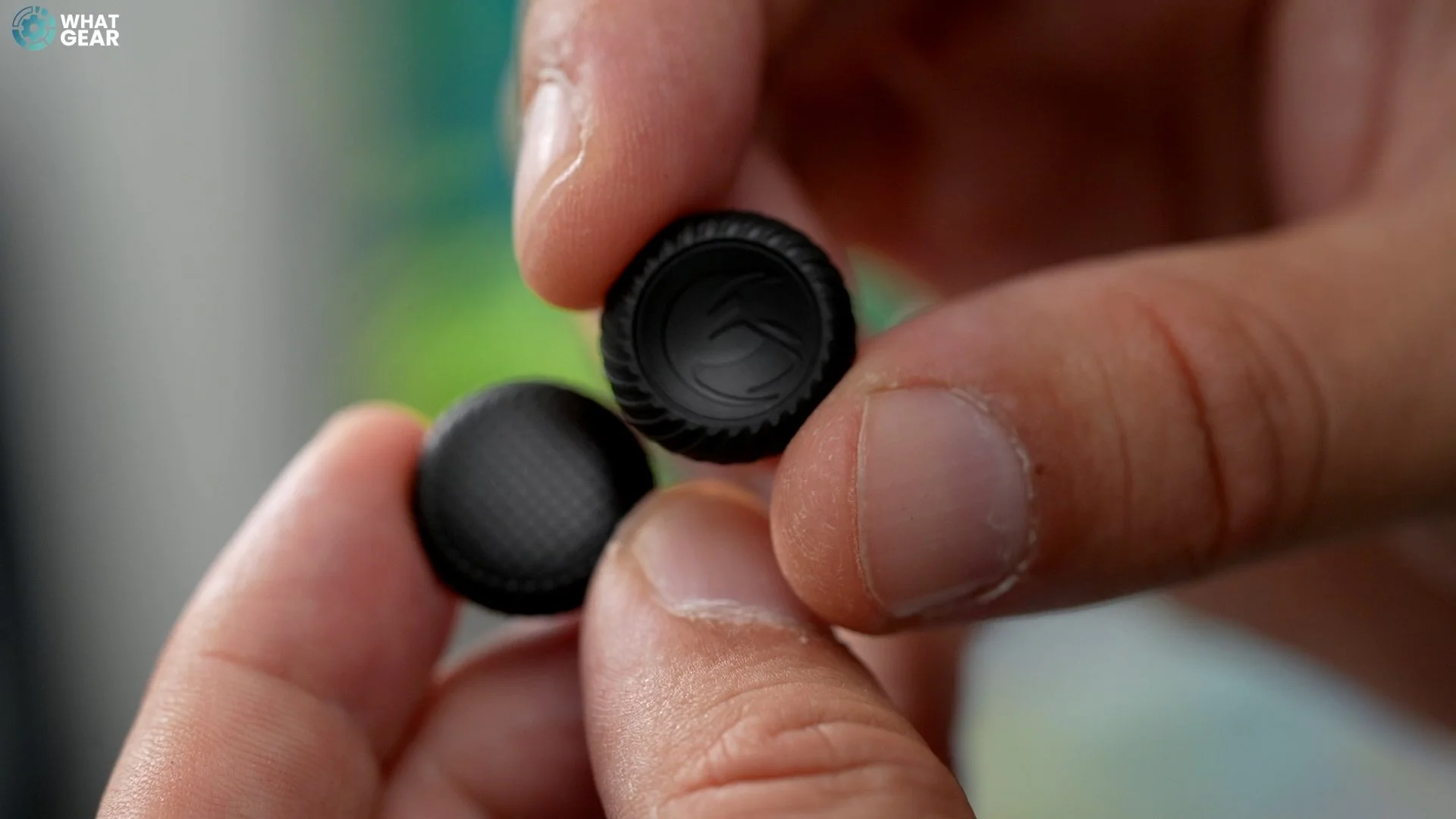
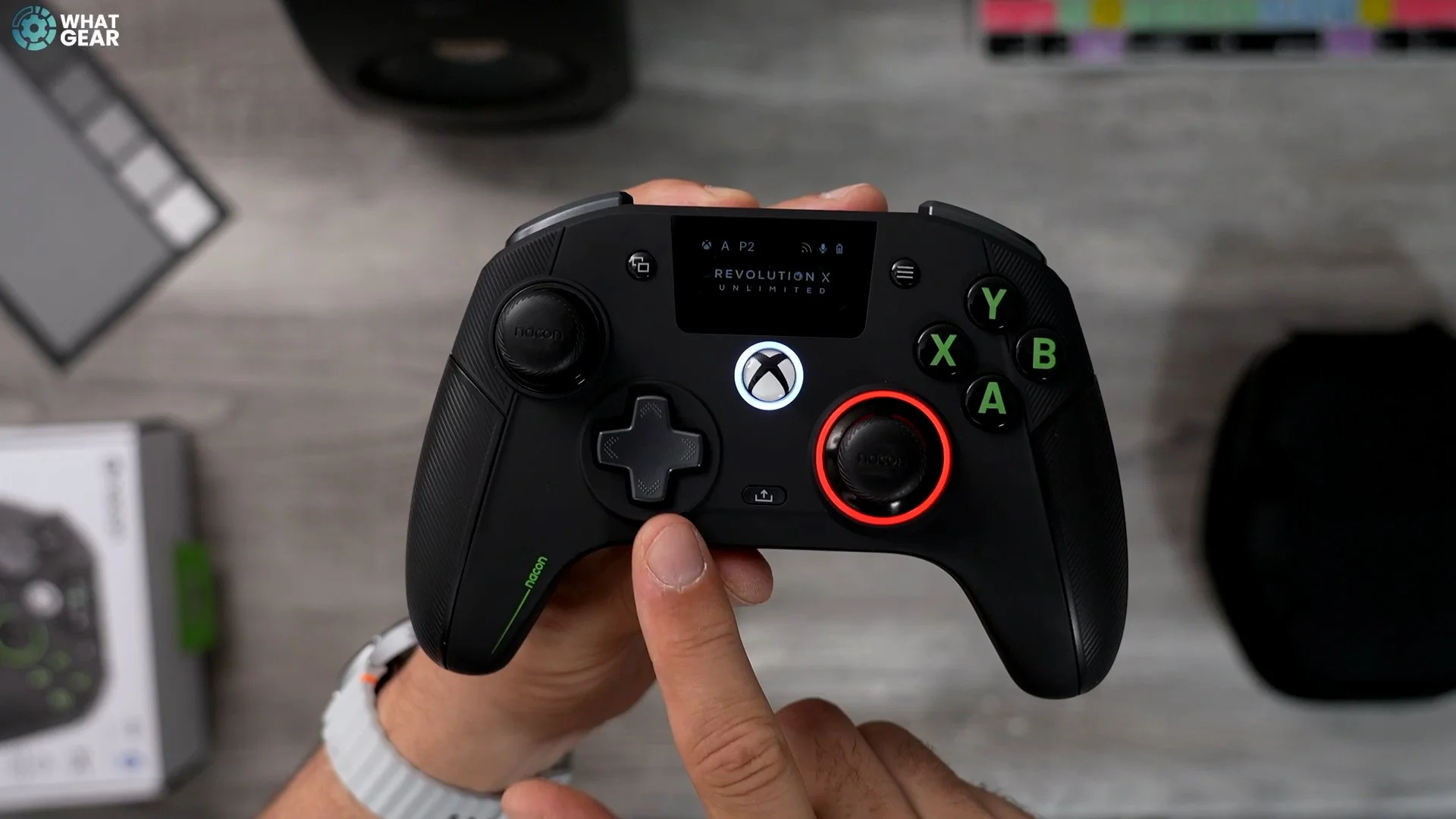
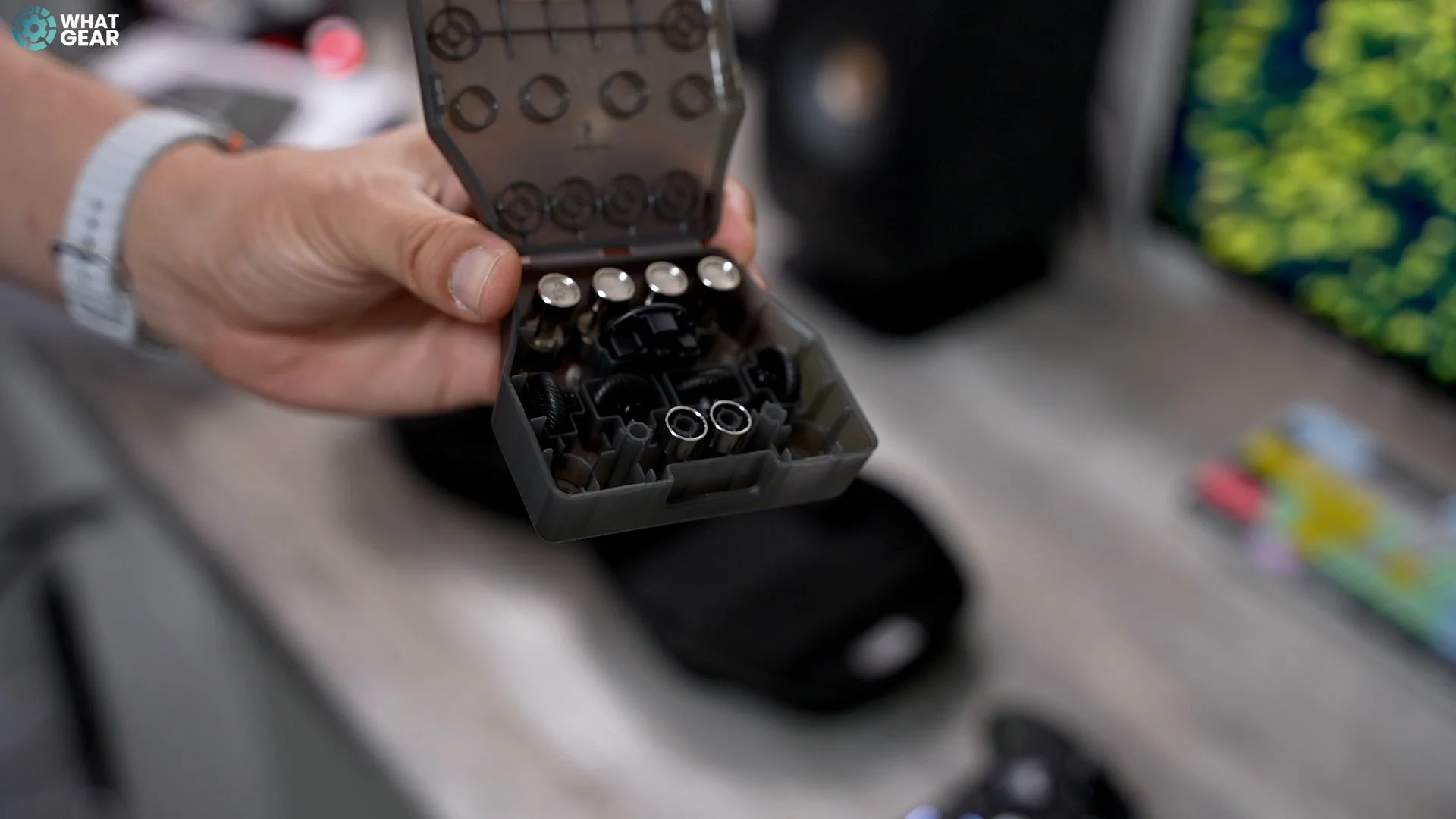
The Nacon Revolution X unlimited uses Hall effect control sticks. The caps on these control sticks can be adjusted. Also, you can fit these rings around the control sticks, which reduces the range of motion and makes the controller more responsive. But if you do that, you should play with some of the sensitivity curves in the app. If you want more height on the control sticks, that is an attachment for that & there are also convex and concave options for the trigger caps. It also has an Omron mouse click directional keys for the D-pad. The disc version gives you eight directions. However, you can change this to 4 4-directional D-pads if you prefer that.
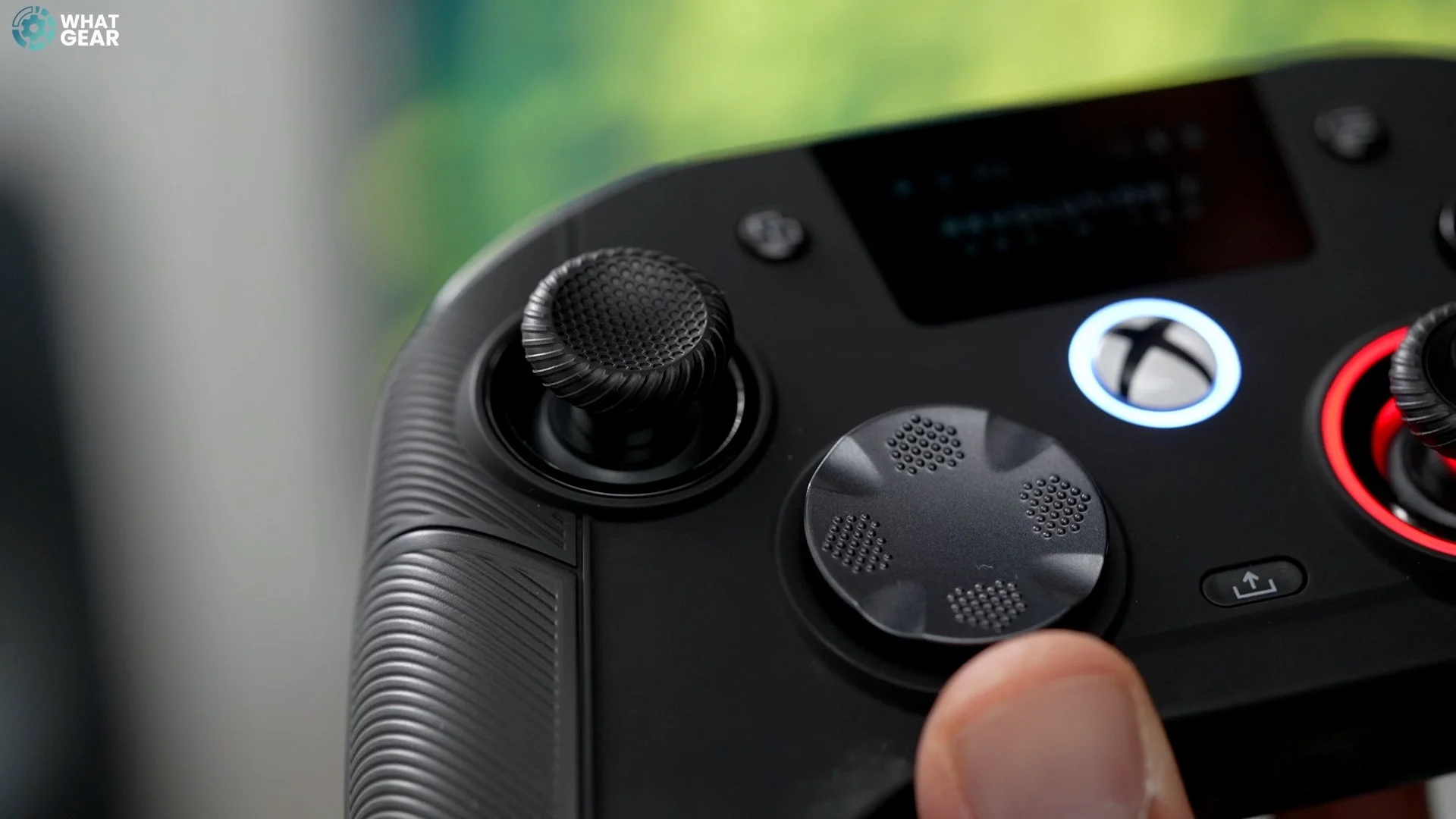
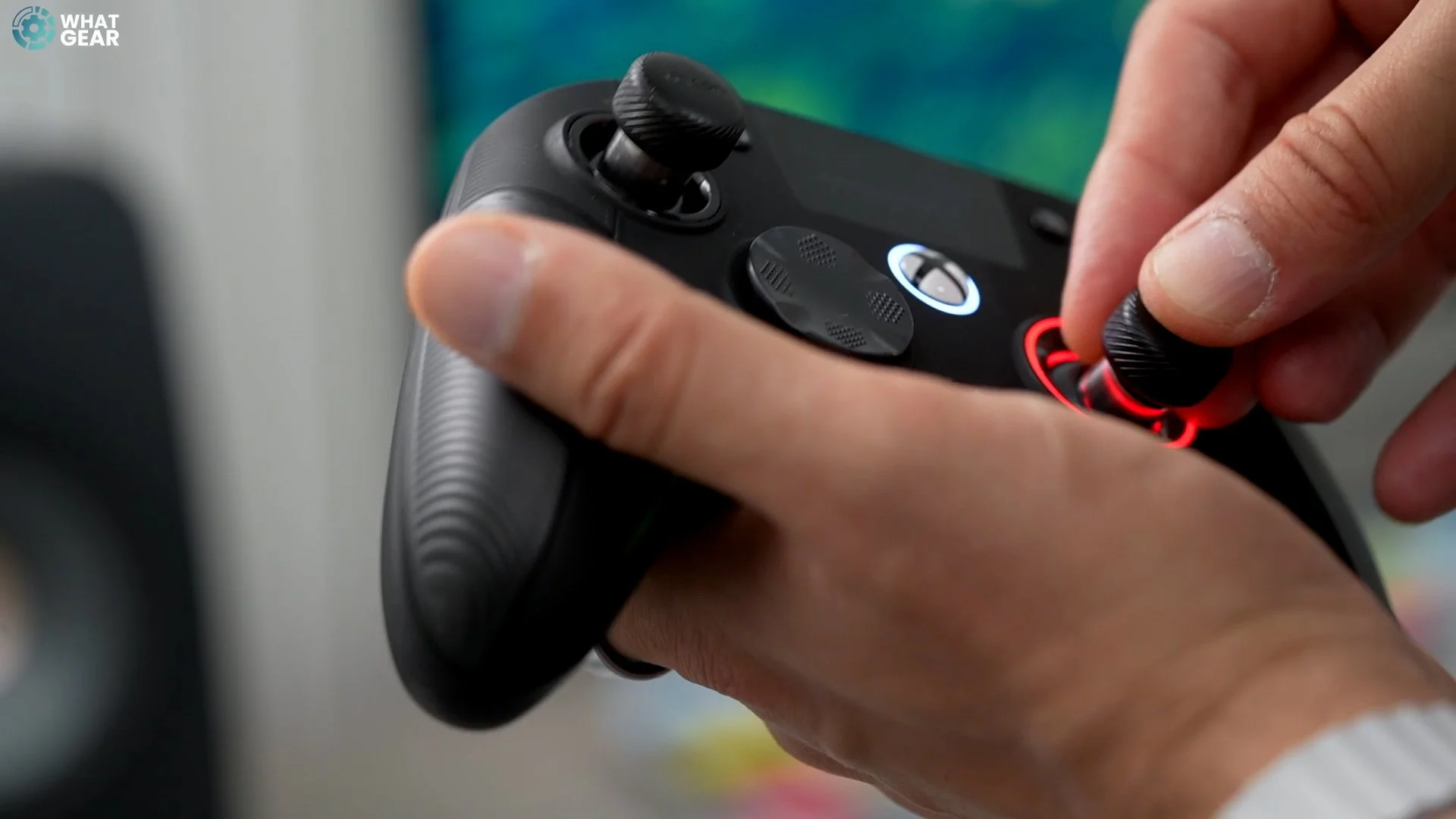
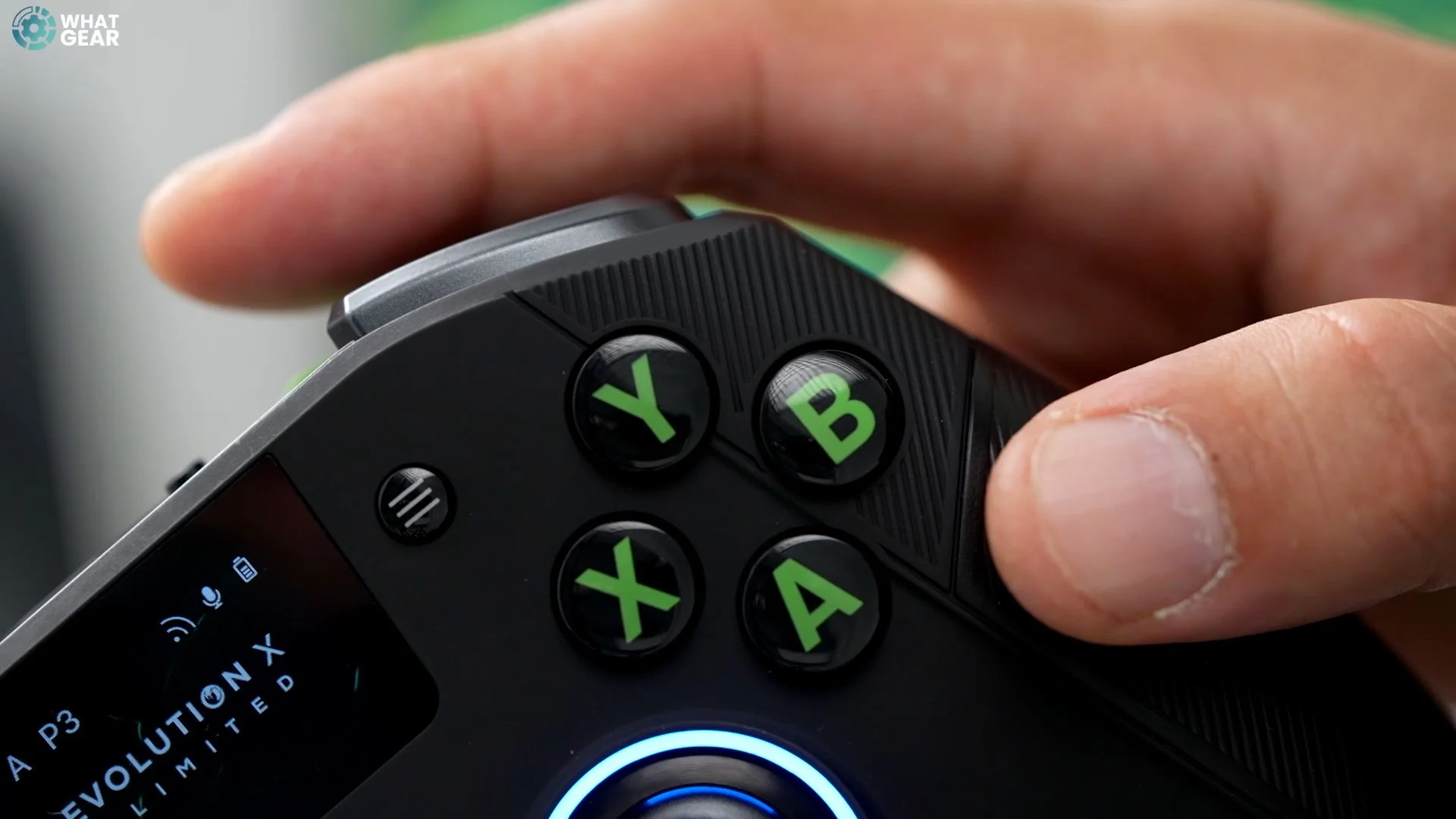
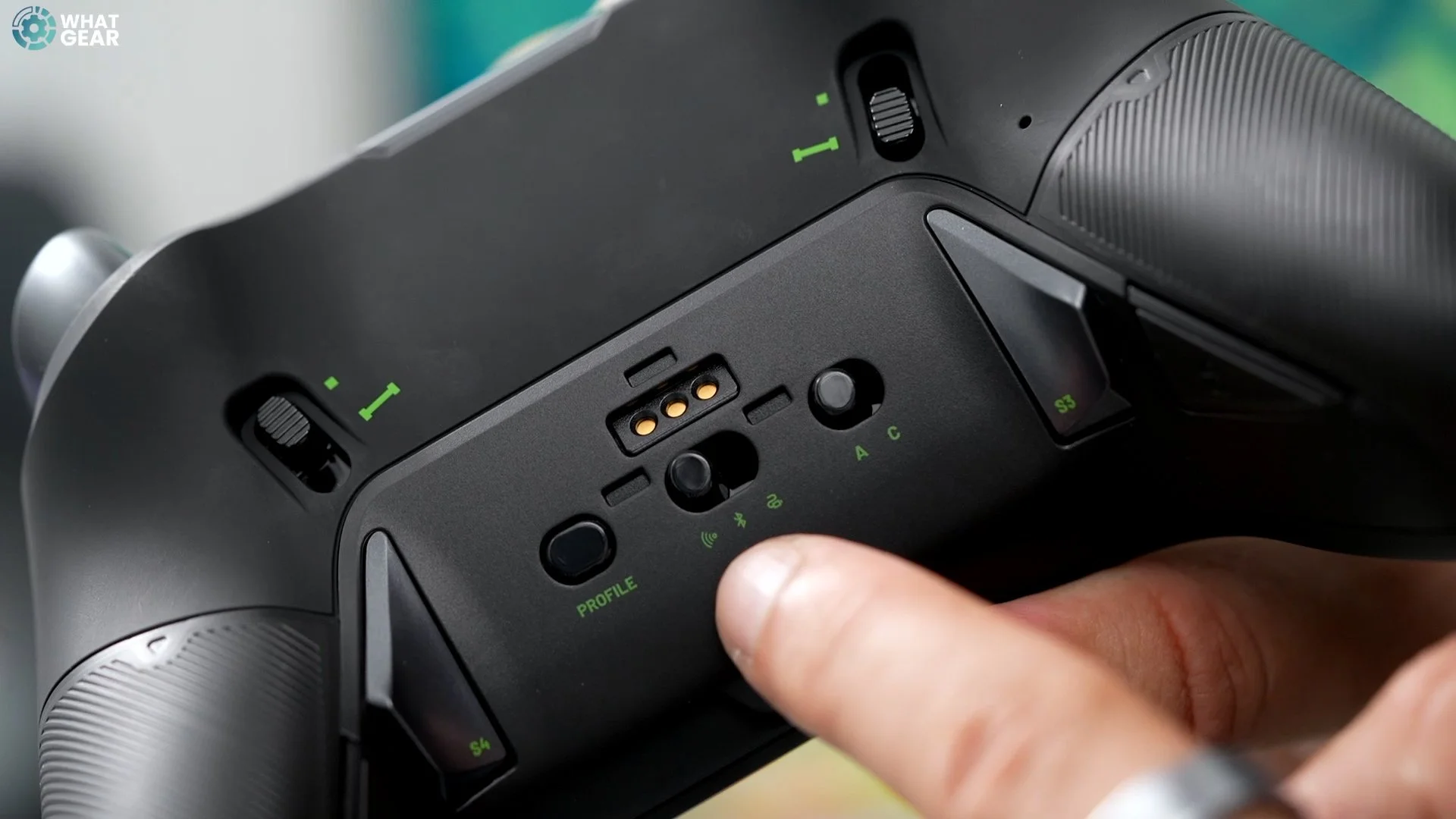
A mute button and an analogue audio jack are on the controller's base. This is used for audio from the game and also for your mic. And there is some good news when it comes to these audio channels. We'll come back to that. The A, B, X, and Y buttons on the front of this controller are larger than the classic Xbox ones, which some people will appreciate. These use Omron switches as well. The L1 and R1 feature premium ALP switches, while the L2 and R2 have Hall-effect triggers that utilise magnets. On the back, two switches convert the triggers into Deadshot triggers. This reduces the range of the triggers, making the response time much quicker. Perfect for shooters.
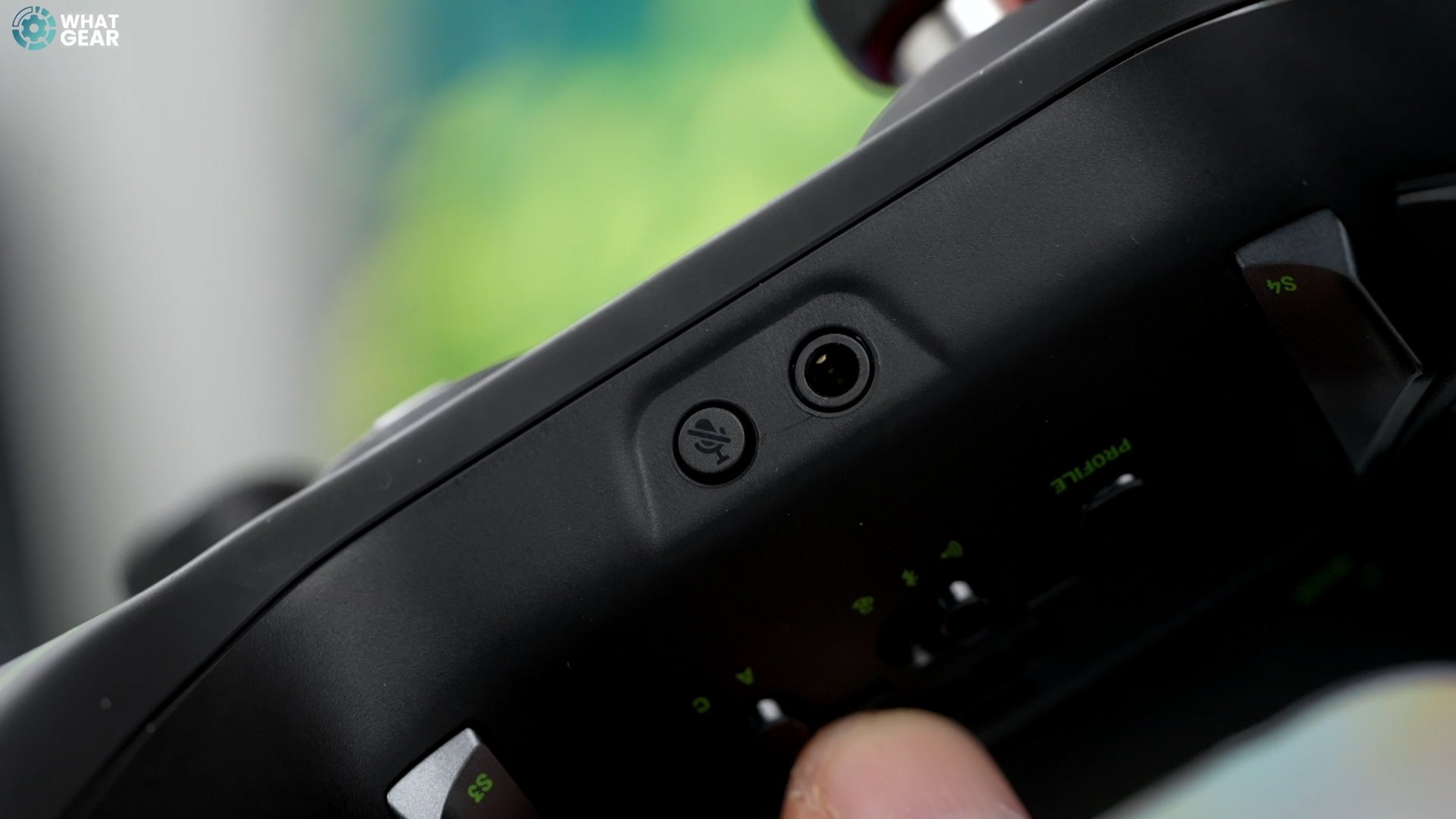
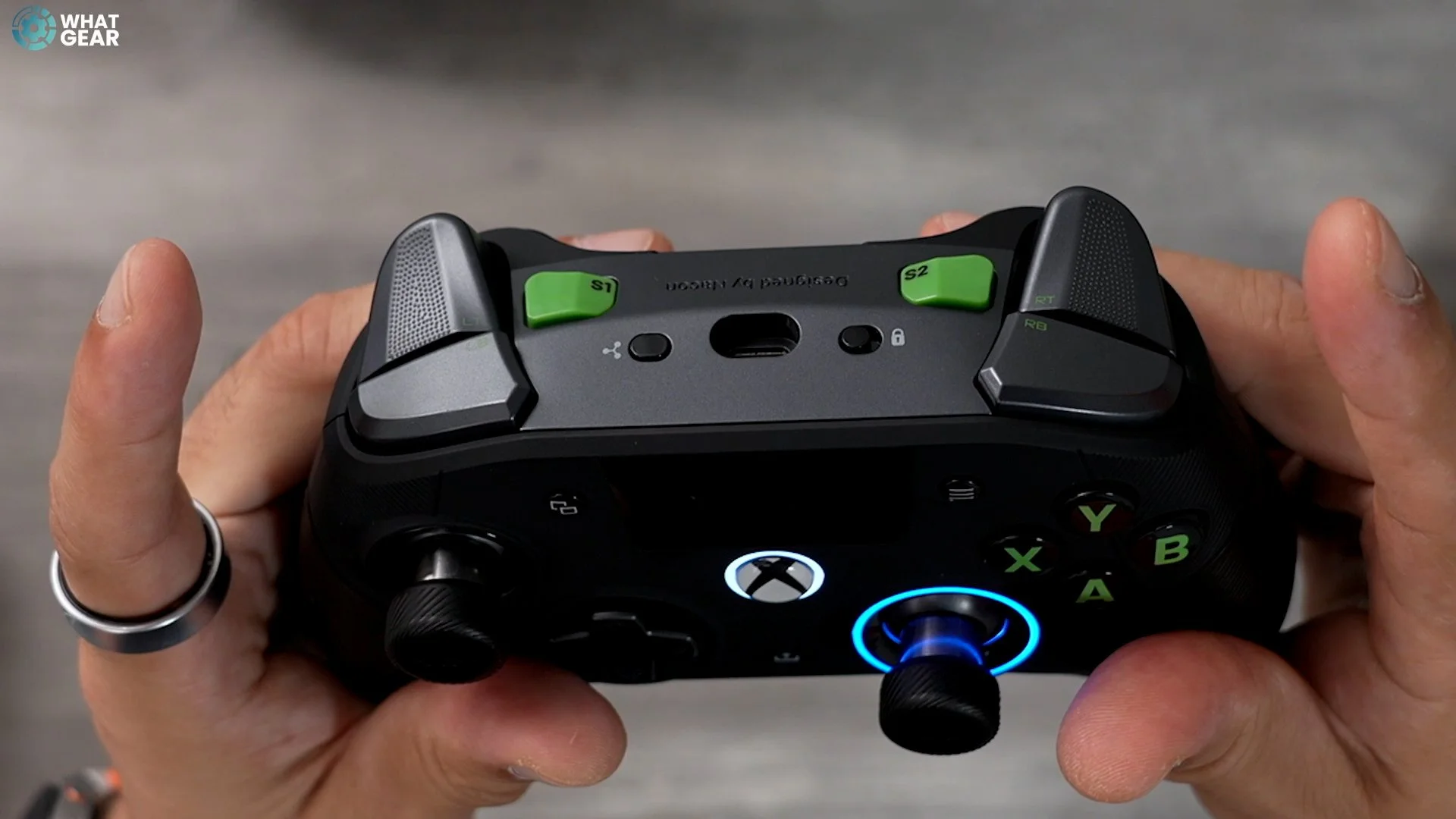
Two shortcut buttons up top can be mapped within the software. Again, we'll come back to those. So, we have a profile selector button on the back of the controller. There are four profiles for Xbox and four for PC. This centre switch toggles between two connectivity modes: Wi-Fi, Bluetooth, and wired. This last switch is a profile selector switch which toggles between advanced and classic. There are also four Mappable back buttons on this controller. Most of this controller has this kind of rubberised texture, which will be lovely and hardwearing, and then you've got this more grippy texture for the controller grips. You can remove the grips from the back and add more weight. I threw in the heaviest weights here, the 16g. And doing this feels like loading a bullet into a gun. And whilst we're talking about firearms, vibration motors are in the grips and triggers. So when you're playing shooting games, you'll be able to feel that kick from the gun here and here, which is nice. And these weights can make it feel even nicer. So, as you can see, there are many customisation options for this controller, but I haven't shown you one of the best features here just yet. It is staring you right in the face, but we will return to that once we look at the software because it will make more sense.

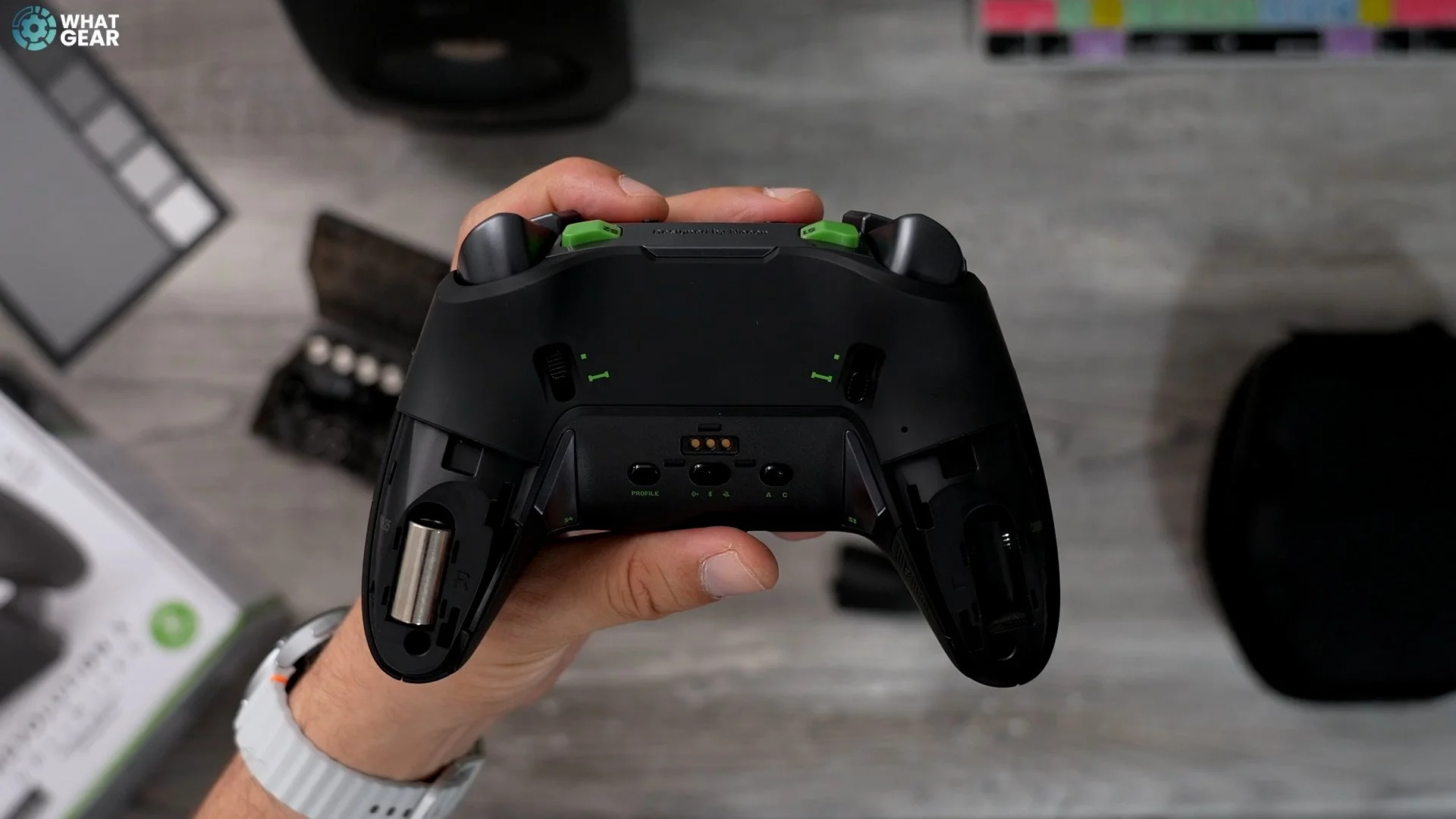
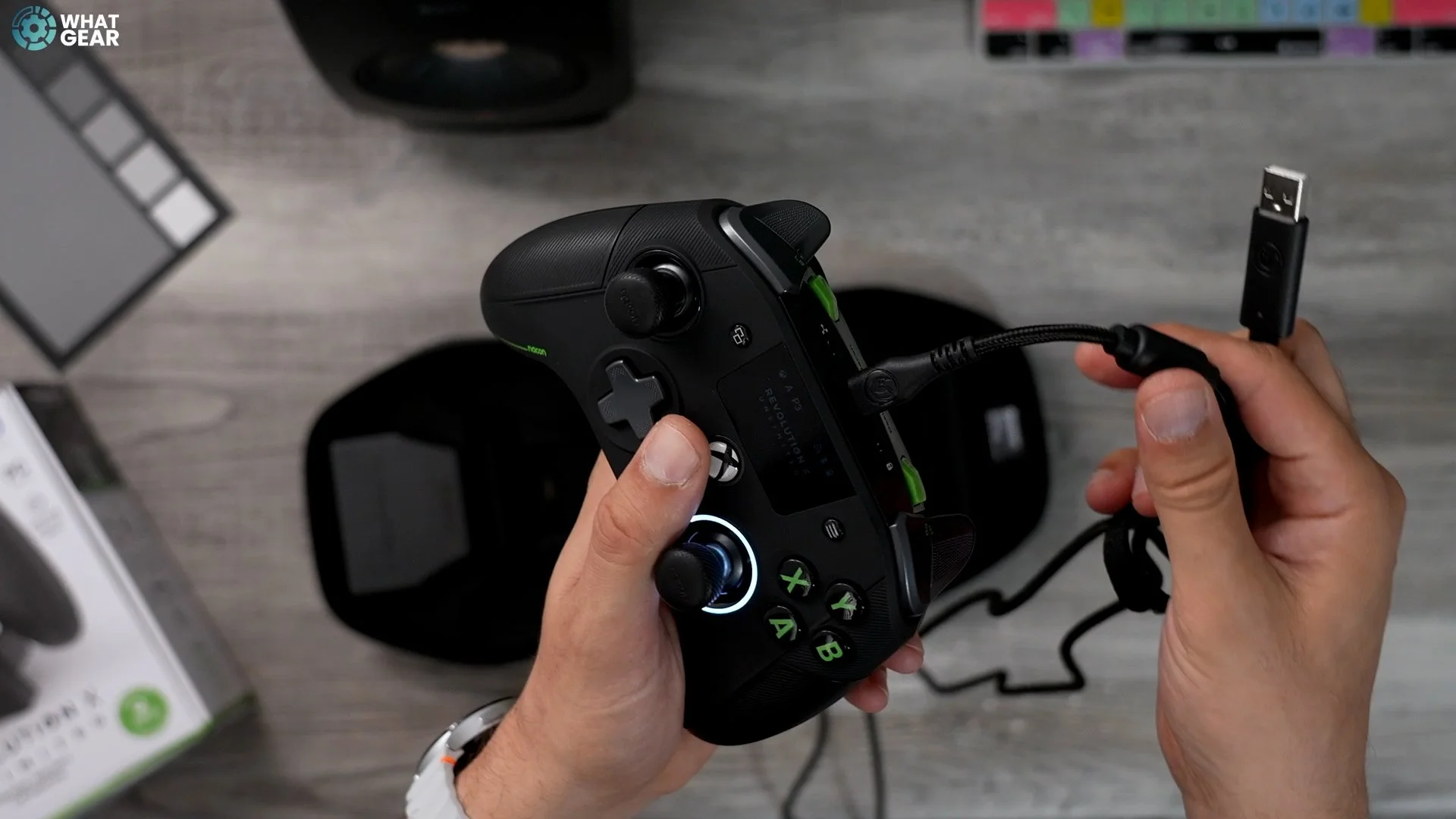
Here's what's in the box. You get this nice hardshell carry case to keep it nice and protected. If you're transporting it around this flat on both sides, the Zipp is one of the nicest zips I've ever seen on a case like this. Inside, you get a USB-A to USB-C cable, a nice long one. As well. What I like about the cable is how it goes into the controller when you plug it in. So if it gets snagged, it won't snap off at the end. Of course, you get all the joystick accessories, weights and thumbsticks. You already knew that.

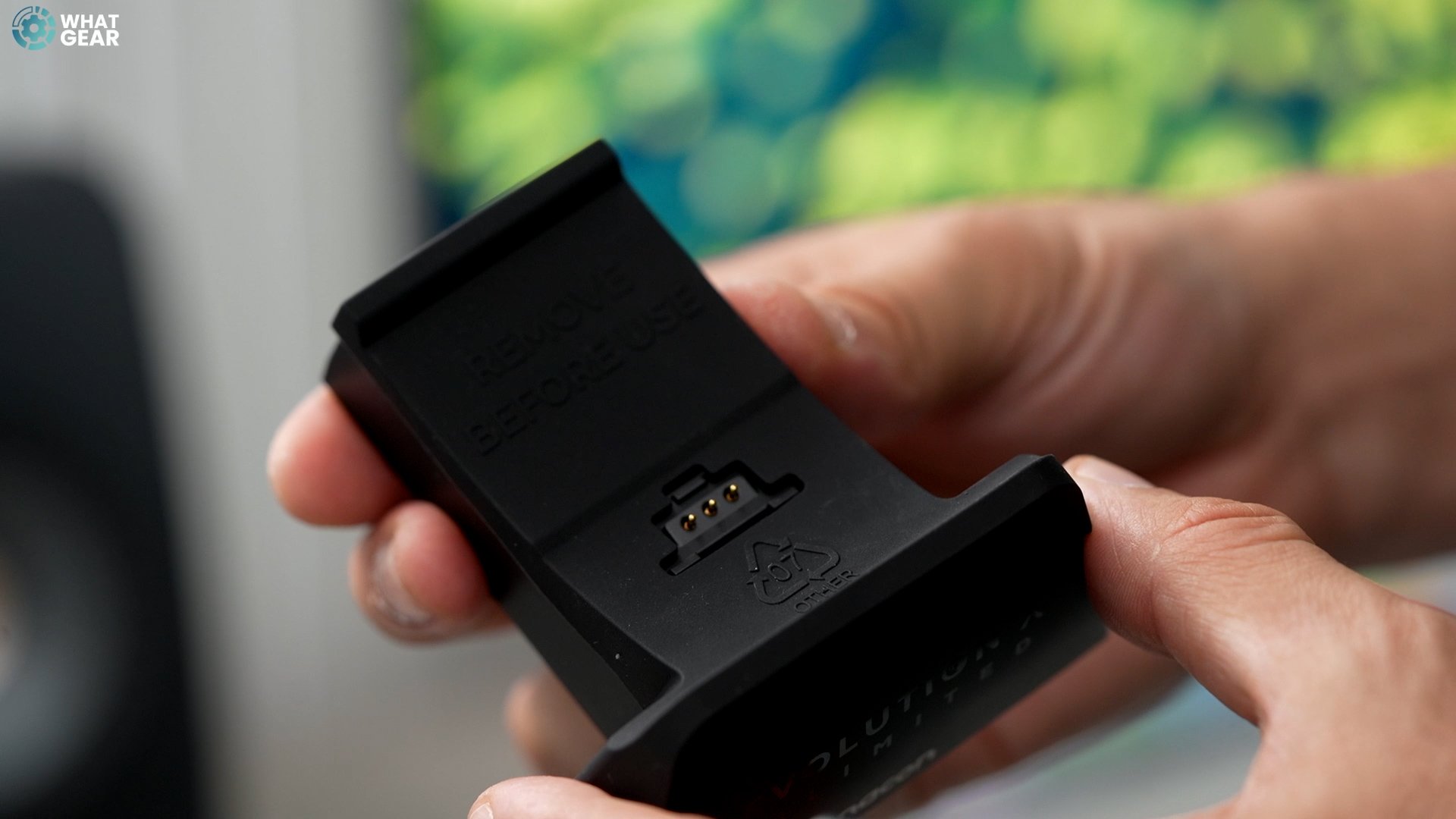
You also have a USB A 2.4GHz Wi-Fi adapter for the wireless connection between your PC and the controller. This is a charging dock. The nice thing about this is you've got the USB-C charging point here, so you can just plug this into any USB-C outlet. If you take this rubber piece off, there is a slot here, and it's a USB A slot. And this is specifically for storing the dongle with the charging base. Let me show you the software side of things, and then we'll return to this controller's killer feature. And don't forget to let me know what you think of this once you've seen everything.
The App
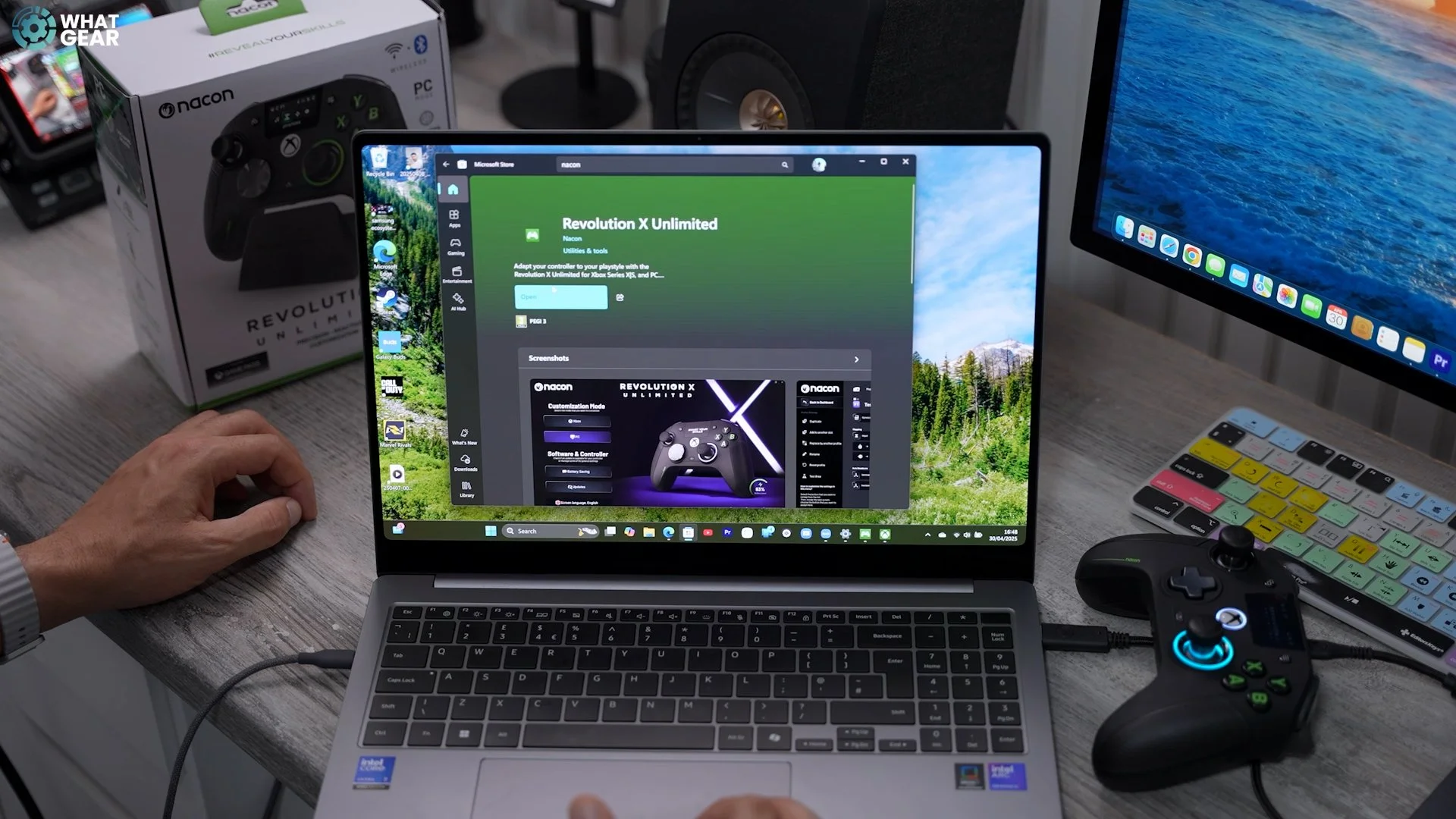
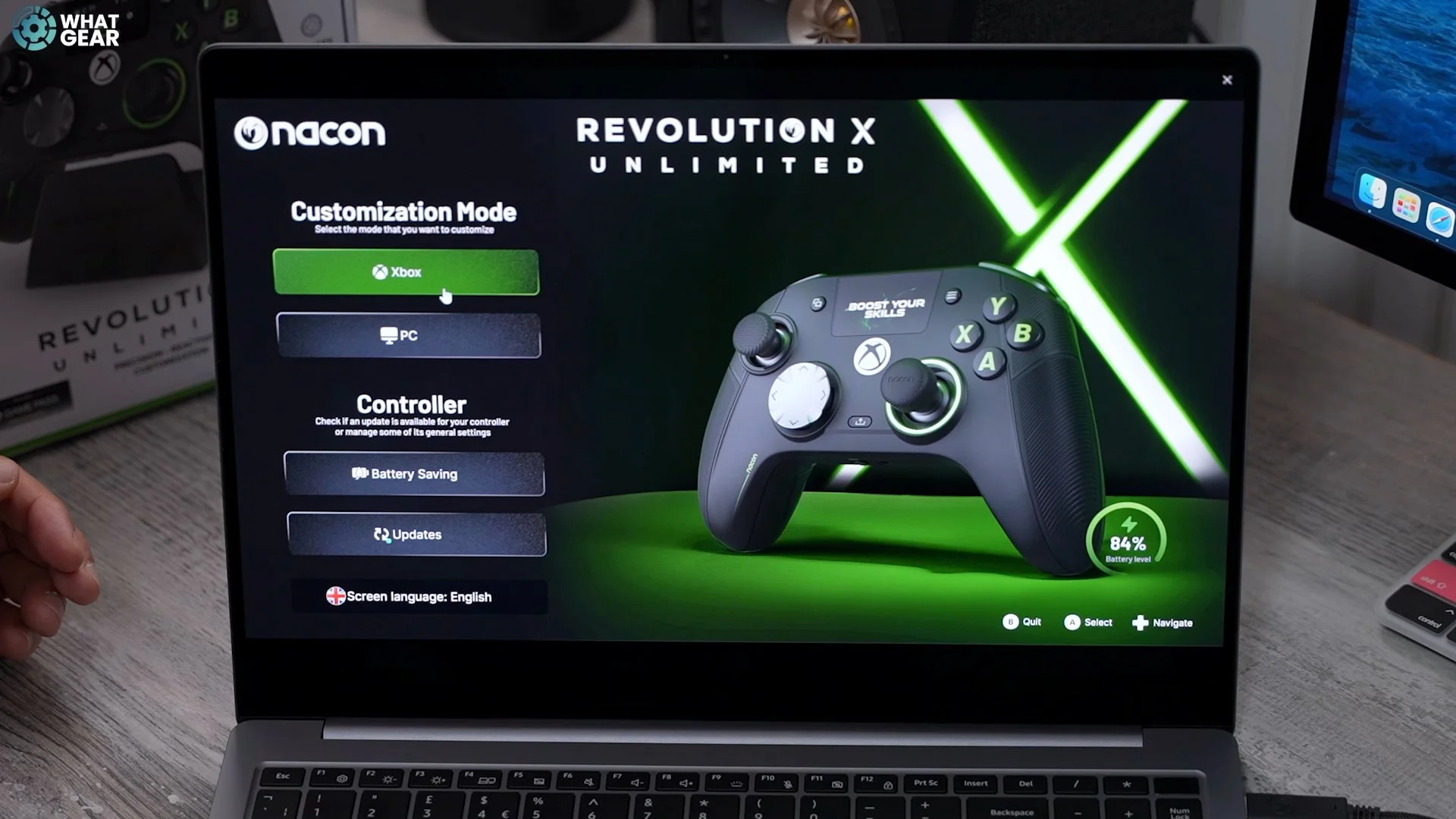
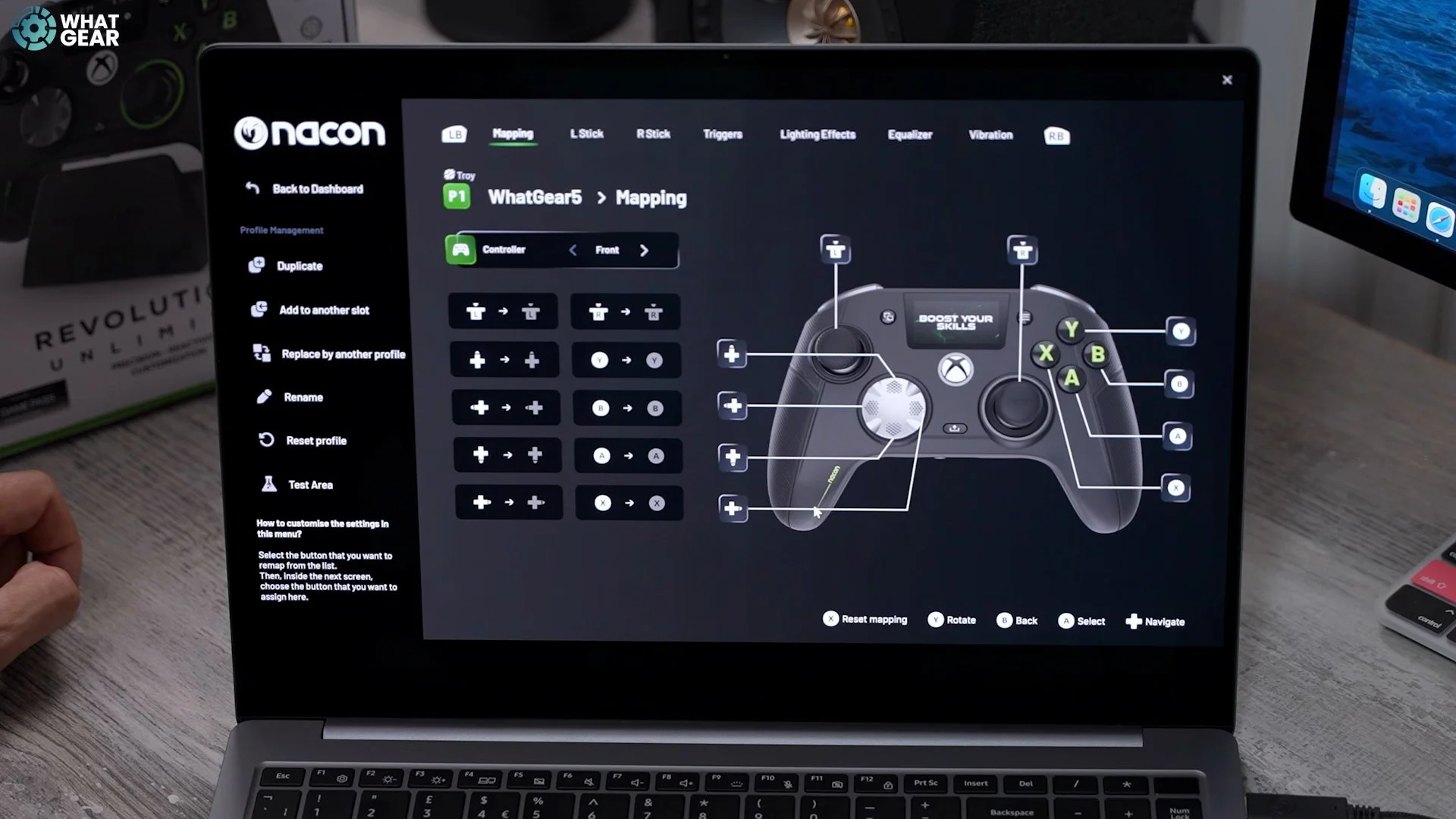
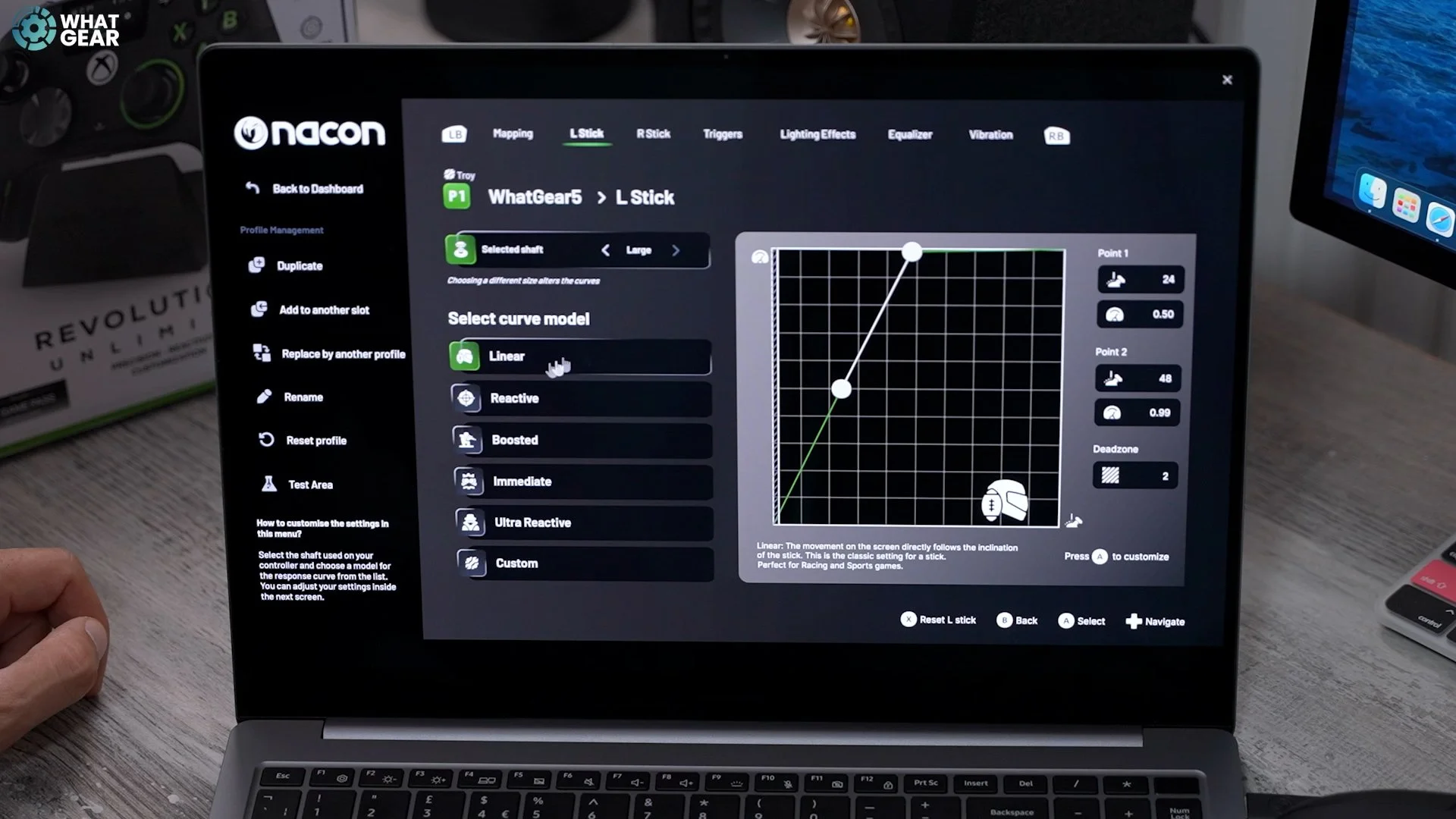
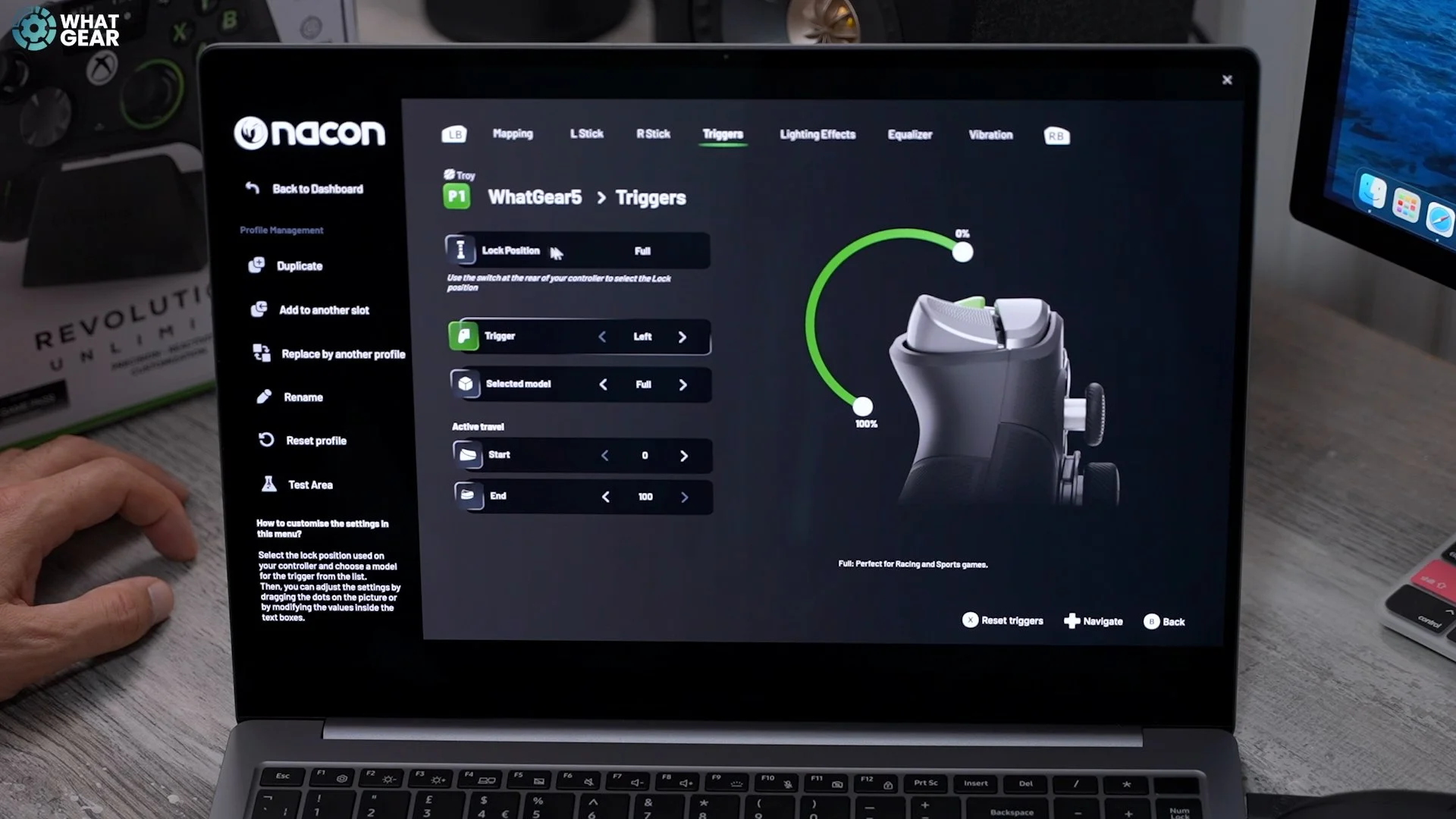
The Nacon Revolution X unlimited software can be found in the Microsoft Store. Once installed, you'll get two different customisation modes, one for Xbox One and one for PC. I mainly played on the Game Pass and used the Xbox One. By default, you've got 4 presets: racing, shooting, precision shooter and arcade fighting. You can switch any of these out for your own custom one at any time if you want to. To do that, you go to New Profile and give it a name, and you can immediately see that you can remap almost everything on this controller. The great thing about the configuration of the sensitivity curves is that you can match the attachments you've fitted on the controller at the top. When you go to the triggers, you can also see the position to which you've set the switches, and you can also change where the button begins to register. There are some presets here as well. So there's a short delay, for instance.
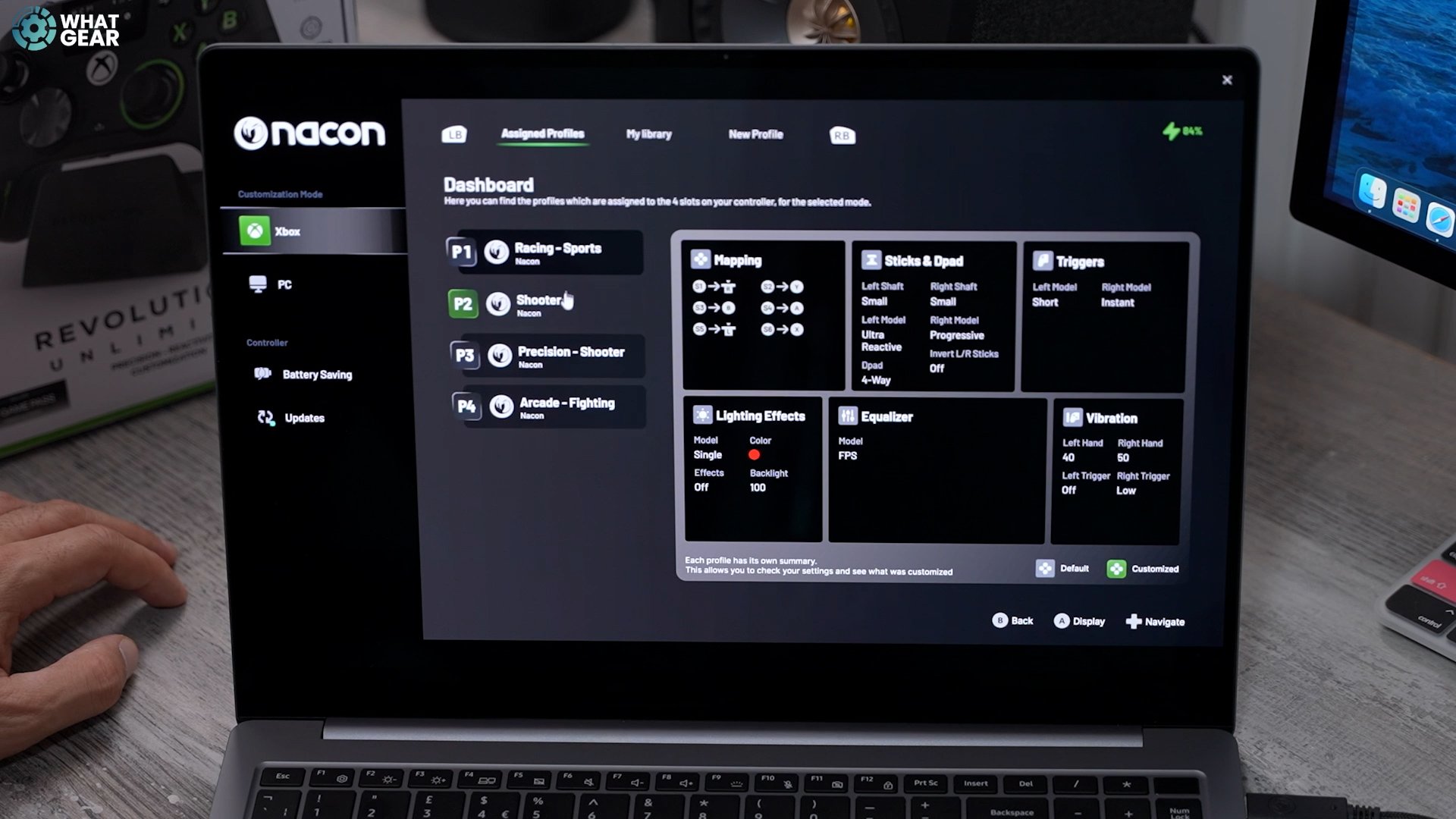
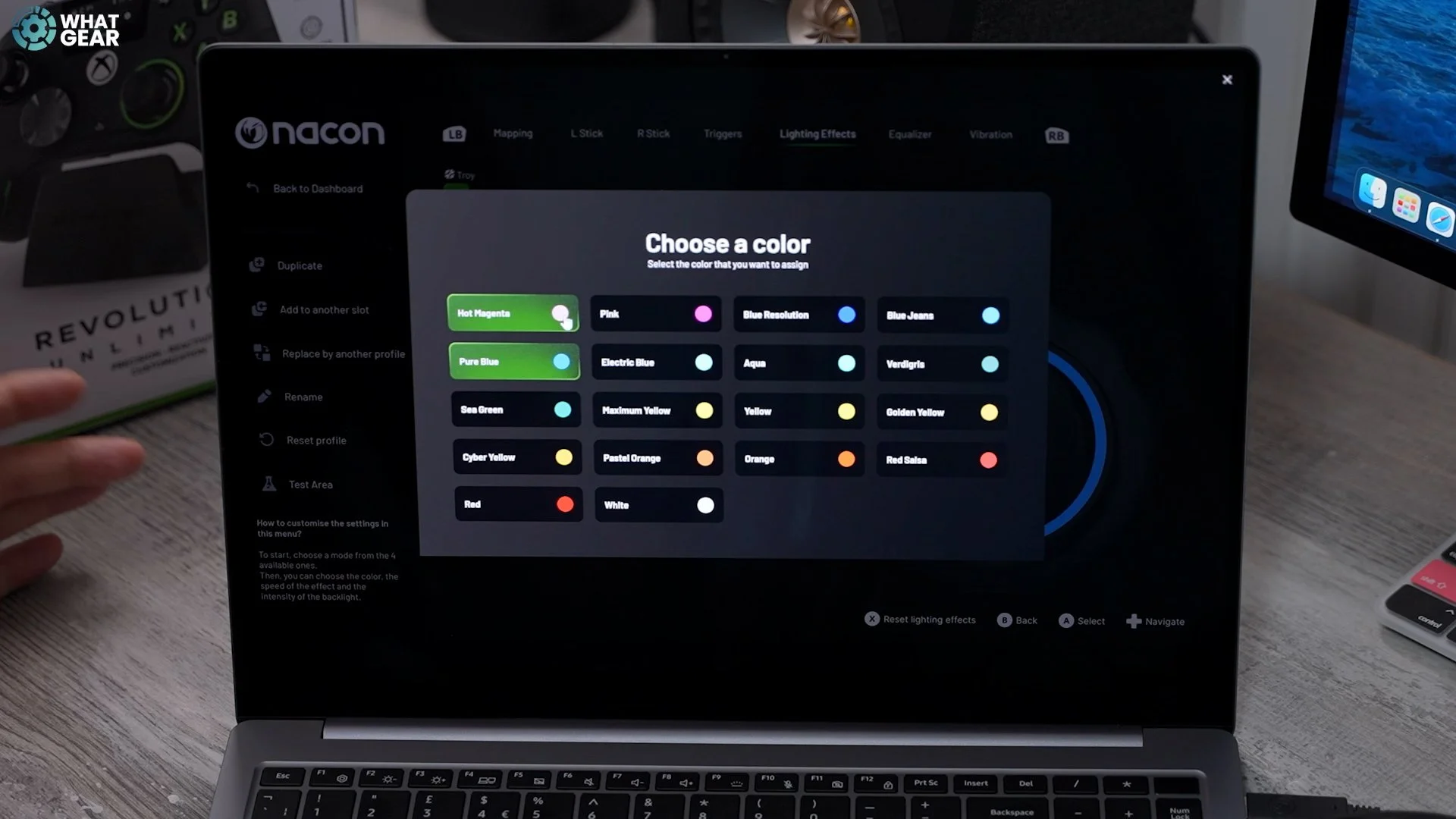
The next tab is one of my favourites. You can customise the colours and two specific colours for a particular preset. So when you toggle through the presets on the controller, the colours will change. You can add a strobing effect or a cycle effect called here, and you can change the speed of that and the brightness of the lights. Remember how I said there's something cool you can do with the audio? You can get the sound from the controller to a white pair of headphones. Right here. You have several different preset EQs and can even create your own. You can also adjust the channels. And there are two ways to make an EQ. You can drag things up and down or change them more granularly, so you know the numbers. And then, on the last tab, you have the vibration sensitivity.

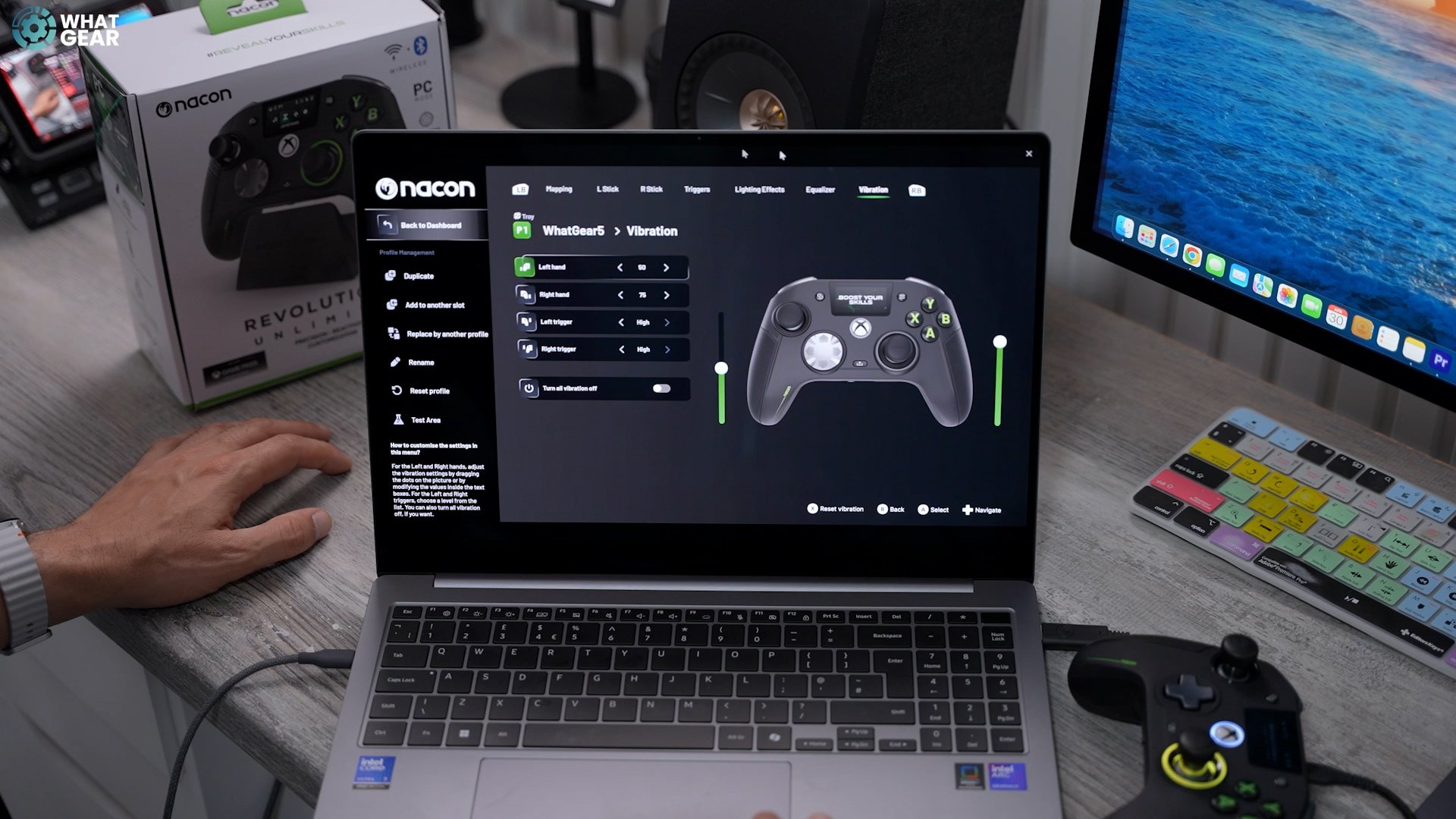
So, as I said before, there are four different motors here. So, you can change the sensitivity for each one of those individually. Once you set up your profile, you can add it to another slot. Choose what slot on that set-up you want it to be. This is number four. There we go. Now we have our own custom profile here set as profile four. Then, the same thing applies to the PC. Remember how I said there's a unique feature for PC gamers? Well, here it is: the connection speed. If you are using the wired one provided or another premium cable, you can use the wired boost mode or the boosted wire mode. You can also map key binds to the shortcut keys & even use gyroscopic aim, which might be suitable for flight games.
Killer Feature
It is the Nacon Revolution X Unlimited little LCD display. You can hit this little button on the top to activate the on-device display and switch the audio settings to adjust the volume, mic, game, mixer, and audio. You can also customise the stick's response curves, invert pitch, and other things like that. And if you go across again, you've got your button mapping, so you can play around with all that stuff, and then you've got your settings.
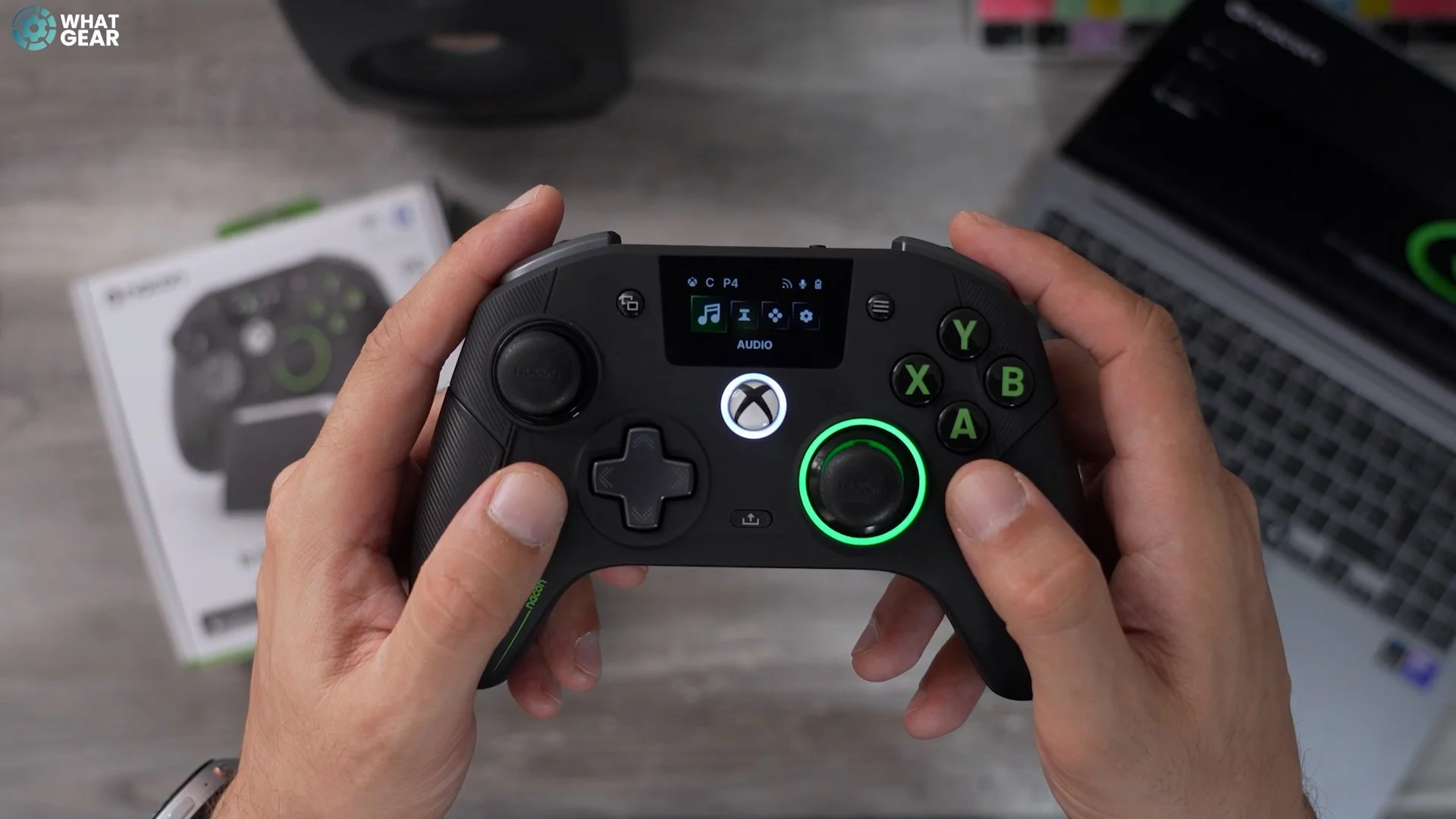
So, your Bluetooth connection, pairing mode, and vibration sensitivity can also be customised here. And then, if we go, you've got the battery-saving options. The great thing about this pad is it will visually show you how you're connected if the mic is on or muted. It shows you what mode you are in and what preset. And it also shows you if we're in Xbox or PC mode. This is fantastic because it means that once you've set it up the first time on the PC, you don't necessarily have to use the software every time to make these changes.
Usability
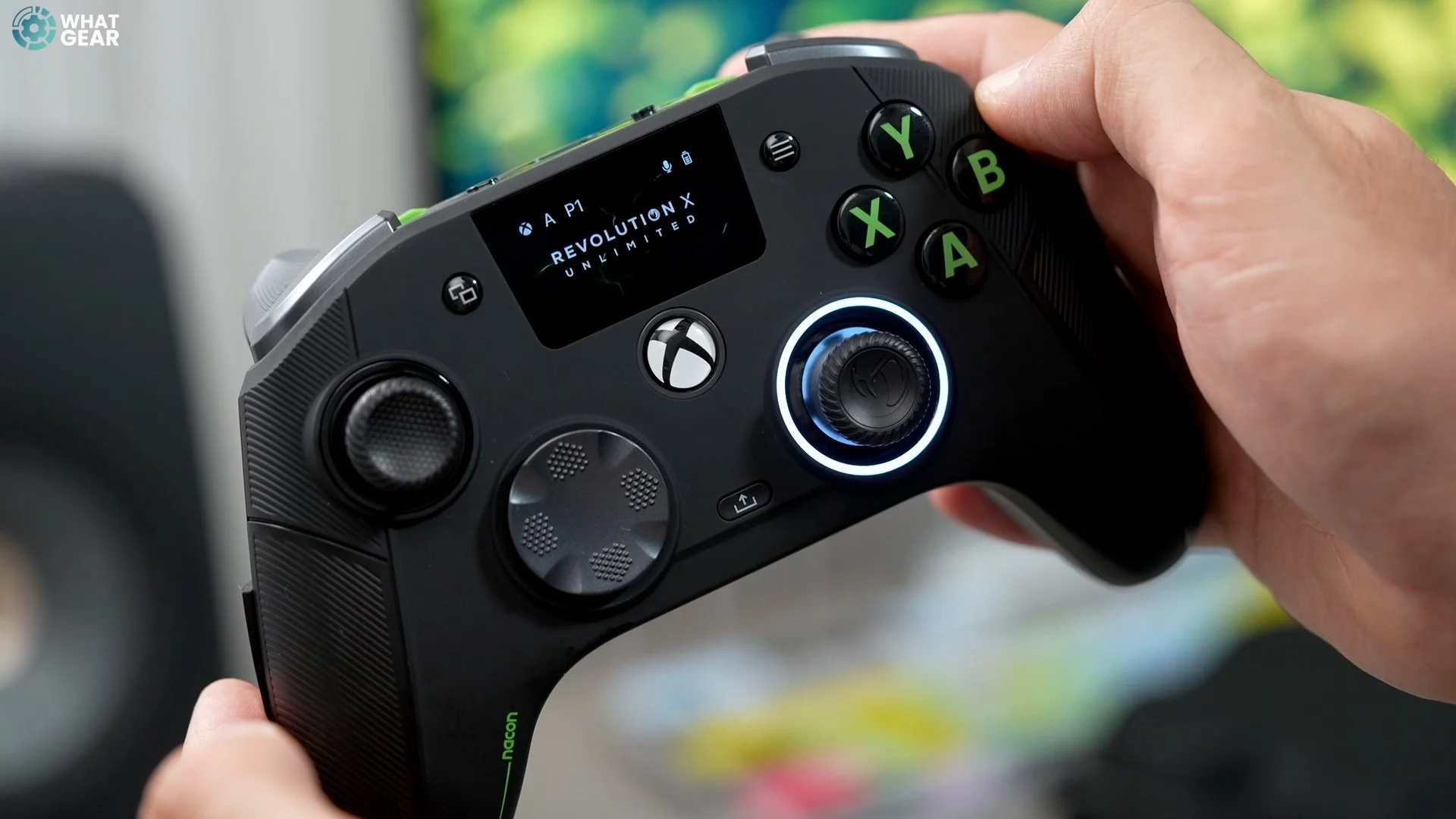
So when it comes to using these controllers, here's what I like about it. The grip feels really, really solid. The weight feels really lovely, especially now, but the heaviest weights. And I do really like this tall joystick here. The metal ring on this also makes it even more responsive. When making those fine adjustments and aiming, I've put the concave fixing on the right stick so my thumb doesn't slip. I really do like the D-pad as well. If you're playing fighting games, switch this to the other one. But for regular sort of Xbox games, this is perfect for me, and I do like how that feels. It dips in the middle. The triggers are really lovely. I like how responsive they are and how springy they are. There's a good amount of resistance there.
Let me know what you think of the Nacon Revolution X Unlimited? Would you choose this over the premium options from Xbox or other popular brands like Scuff? Is there anything that really stood out about this controller that you haven't seen anywhere else? What was your favourite feature on this controller? I hope you guys got some value from this video. If you did, a thumbs up would be appreciated. If you want to check out this price, click the affiliate link below. I'll see you in the next one.