The Vanishing 4K 150" Display! ( Epson EF72 Review )
Have you noticed that nearly everything is on demand these days? If you like the idea of having a big screen but don't want to clutter your living space with one, or simply don't want to ruin the look and styling of a beautifully decorated room by filling it with numerous shiny tech products. Then what you need is an on-demand big screen that vanishes into your environment when not in use. This could be the solution you're looking for. This is the Epson Lifestudio Flex EF-72, and it might be one of the most discreet-looking projectors I've ever seen to date.

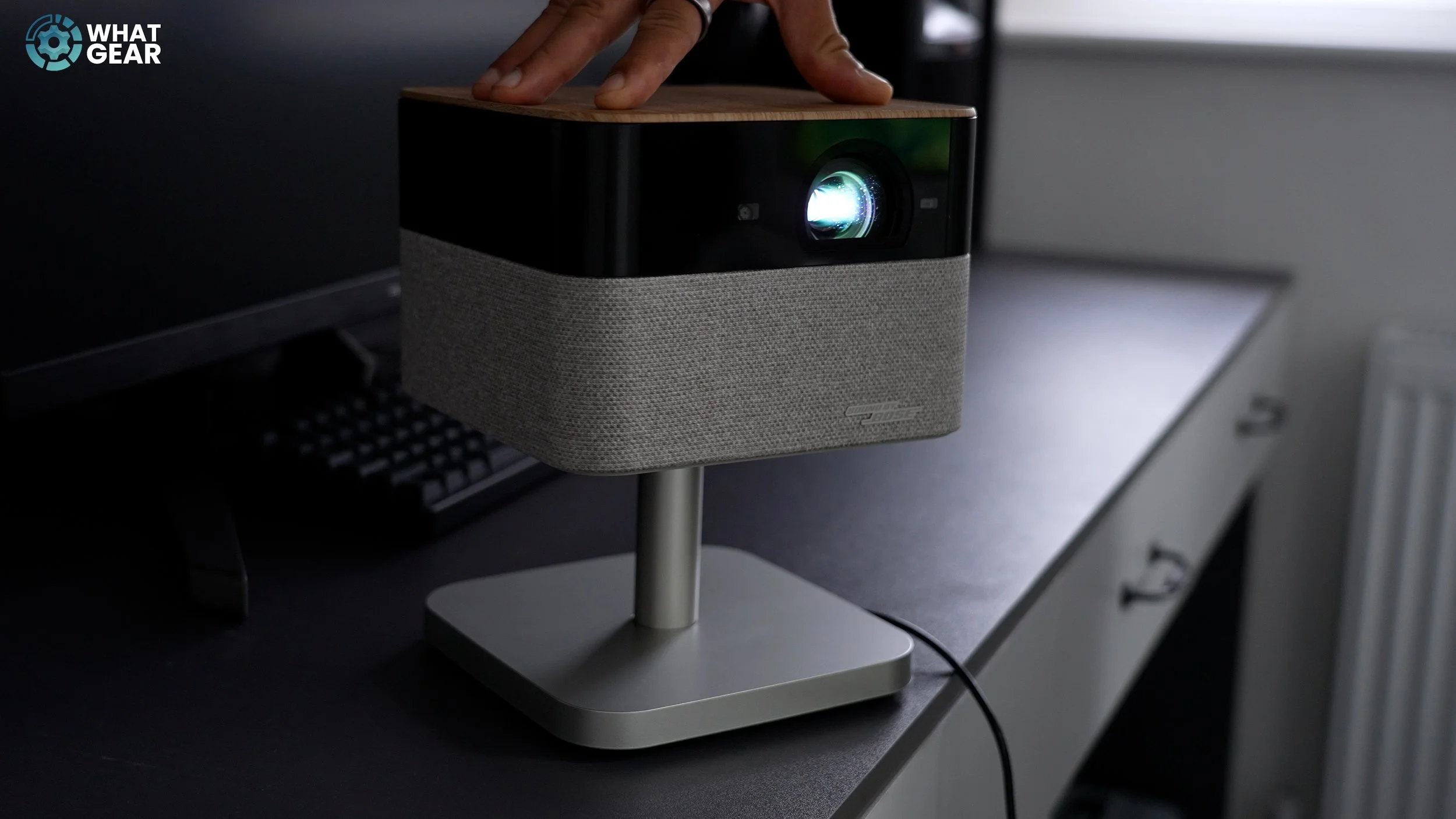
At first glance, it looks like a table lamp. The disguise is intentional. And there are a few features here that really surprised me. I'll highlight those as we go through this video. The EF 72 at launch retails for around £1,150. It can project a 4K display up to 150". It runs the Google TV operating system, so you get all the apps here. It has built-in WiFi, which means you don't need to plug anything into it other than the power to use it. If you prefer a minimal setup and want to use the onboard Google TV apps for everything, you can do so.
Design & Build
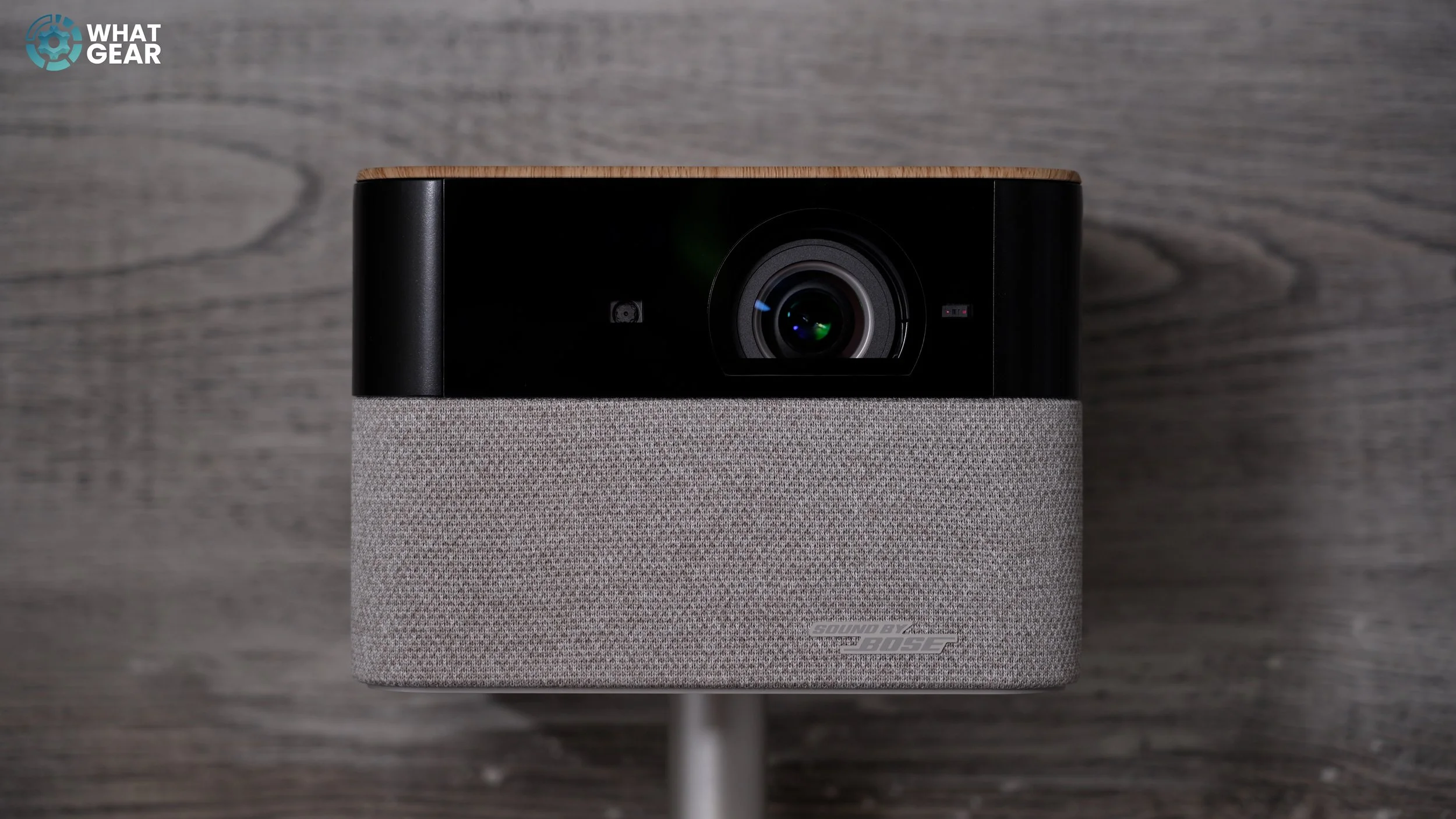
So let me give you a quick guided tour of the design. There is only one colour option, and it's this one called Oak, likely due to the styling of the material used on top. The black band wraps right around and does a good job of disguising the lens, sensor tech, and ports at the back. The next layer down is wrapped in this grey mesh, which softens the look by reducing reflections and also hides one of this projector's standout features. There's also a strategically placed removable panel here at the back & I'll show you why you might want to remove this in a minute.
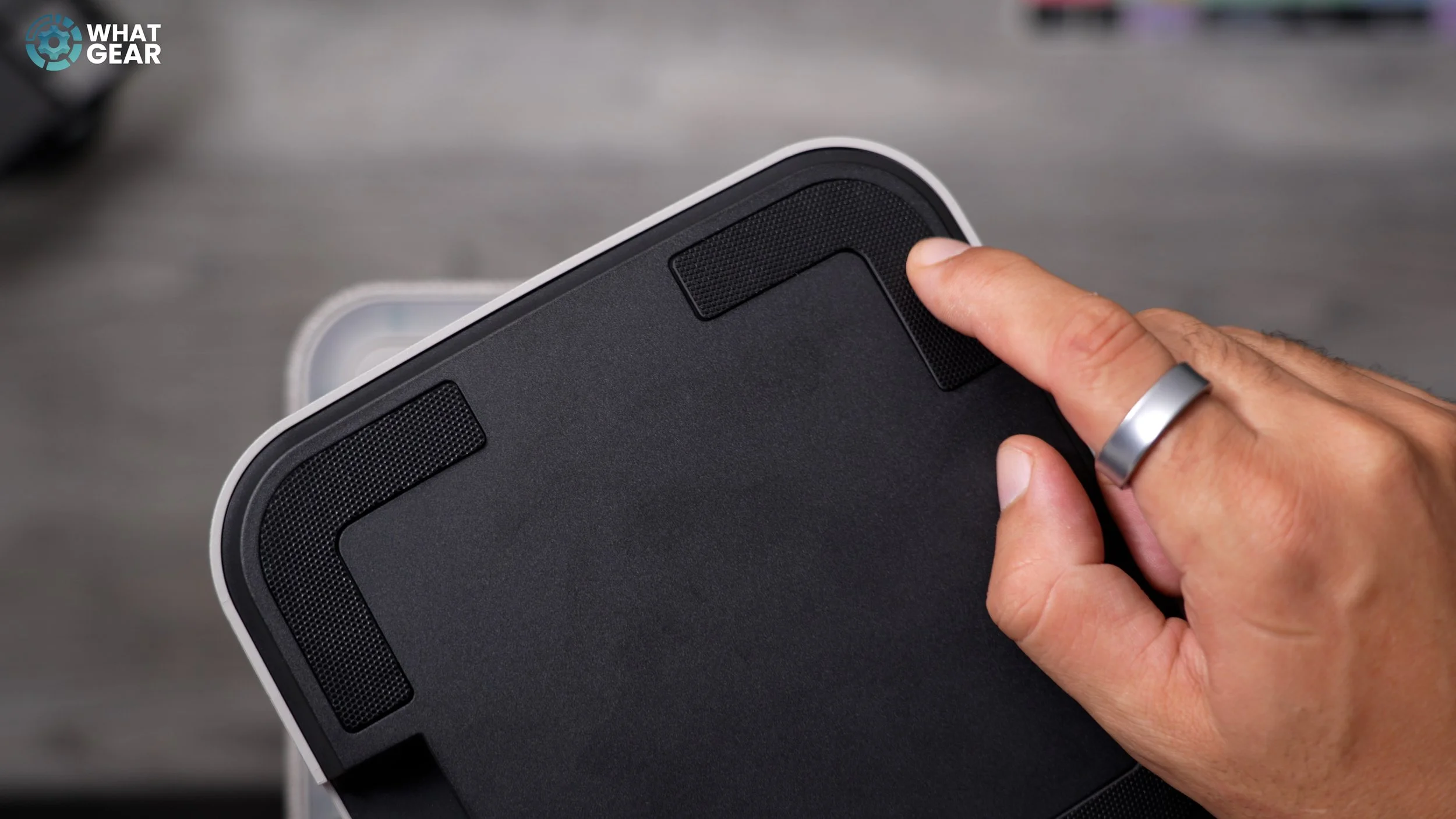
The stand is nicely designed, featuring a metallic finish on the base and rubberised feet underneath to reduce vibrations. This is where the power port is located. And then it has a solid metal column that allows the EF 72 to rotate 180 degrees on the spot. This is particularly convenient when combined with some of the technology you're about to see in action. Here's the reason why you should remove that back panel. Let's say you don't have a lot of wall space. You can tilt the EF 72 all the way up to the ceiling at an angle of up to 90 degrees.
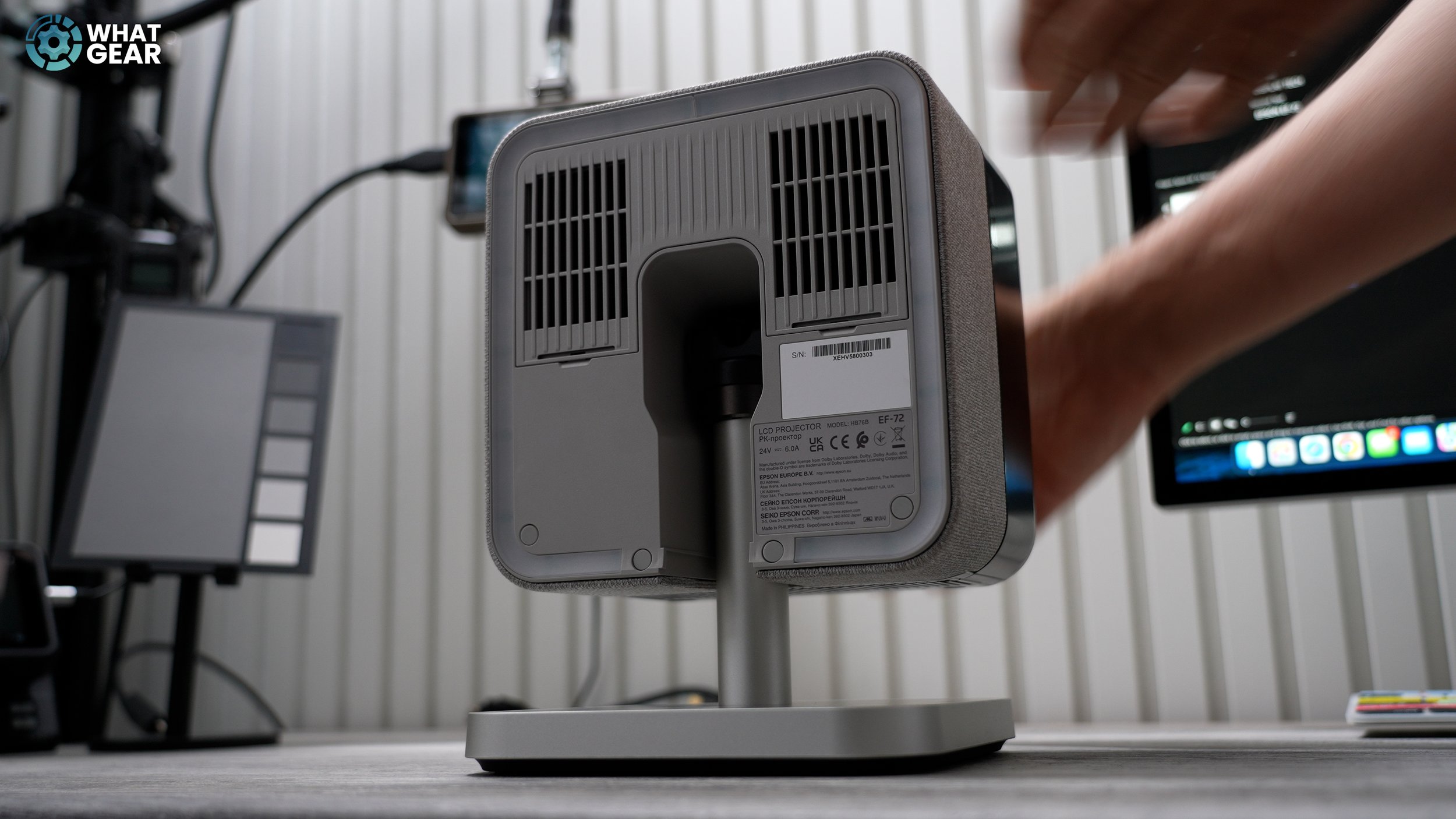
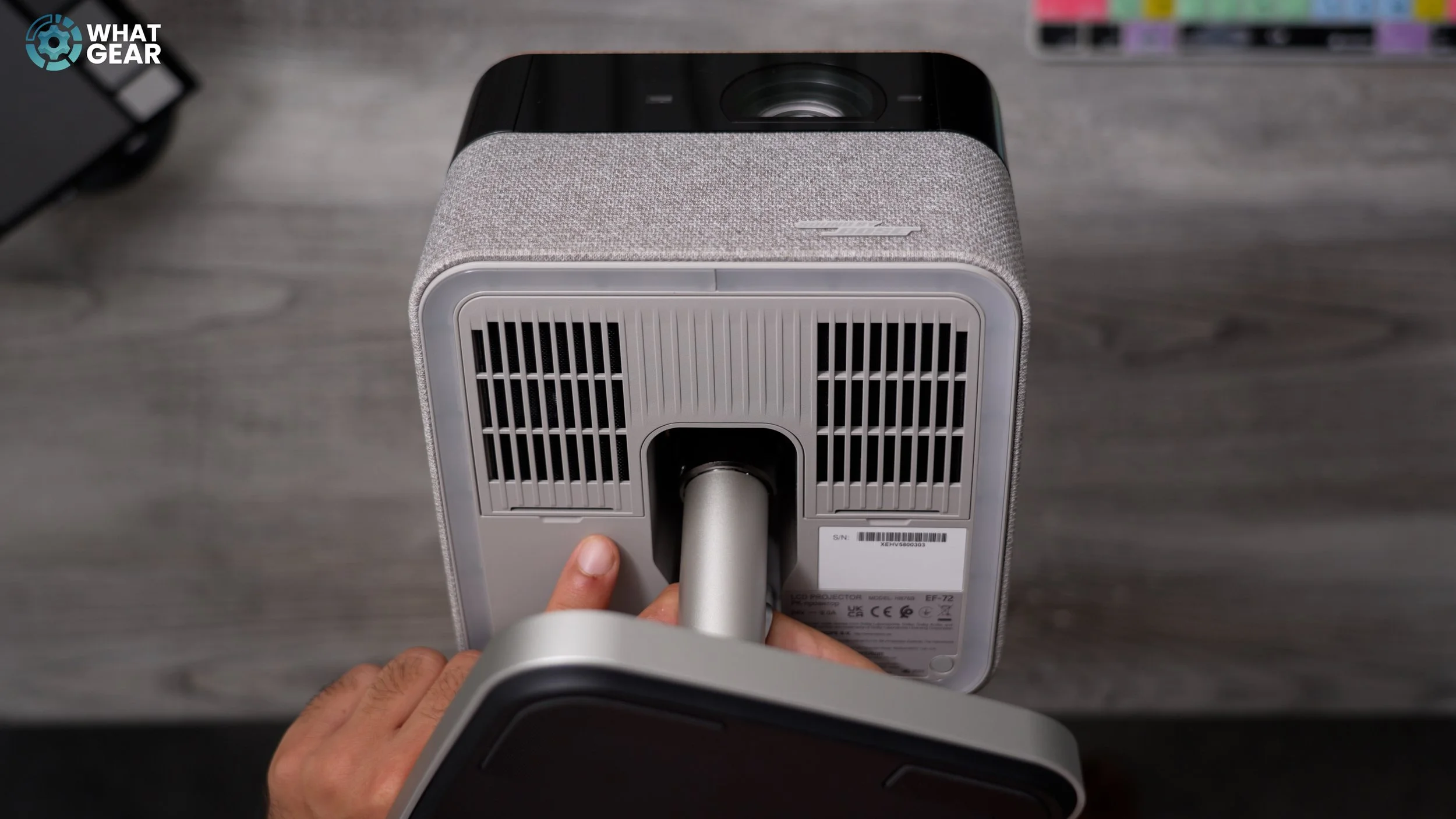
You can use this to watch movies on a ceiling, but you can also use it to create a really nice ambient sensory lighting effect in a room, such as shining the Milky Way onto the ceiling. Now that bit of tech that works in tandem with the swivel and tilt. Those hidden sensors on the front can measure distance and automatically correct the picture's angles for you. If you're not tech-savvy at all, you'll find using this so easy. All you need to do is switch it on, angle it at a wall or ceiling and let the auto focus, auto keystone correction, and auto screen fit adjustments work their magic. So you're not fiddling around with settings for half an hour.
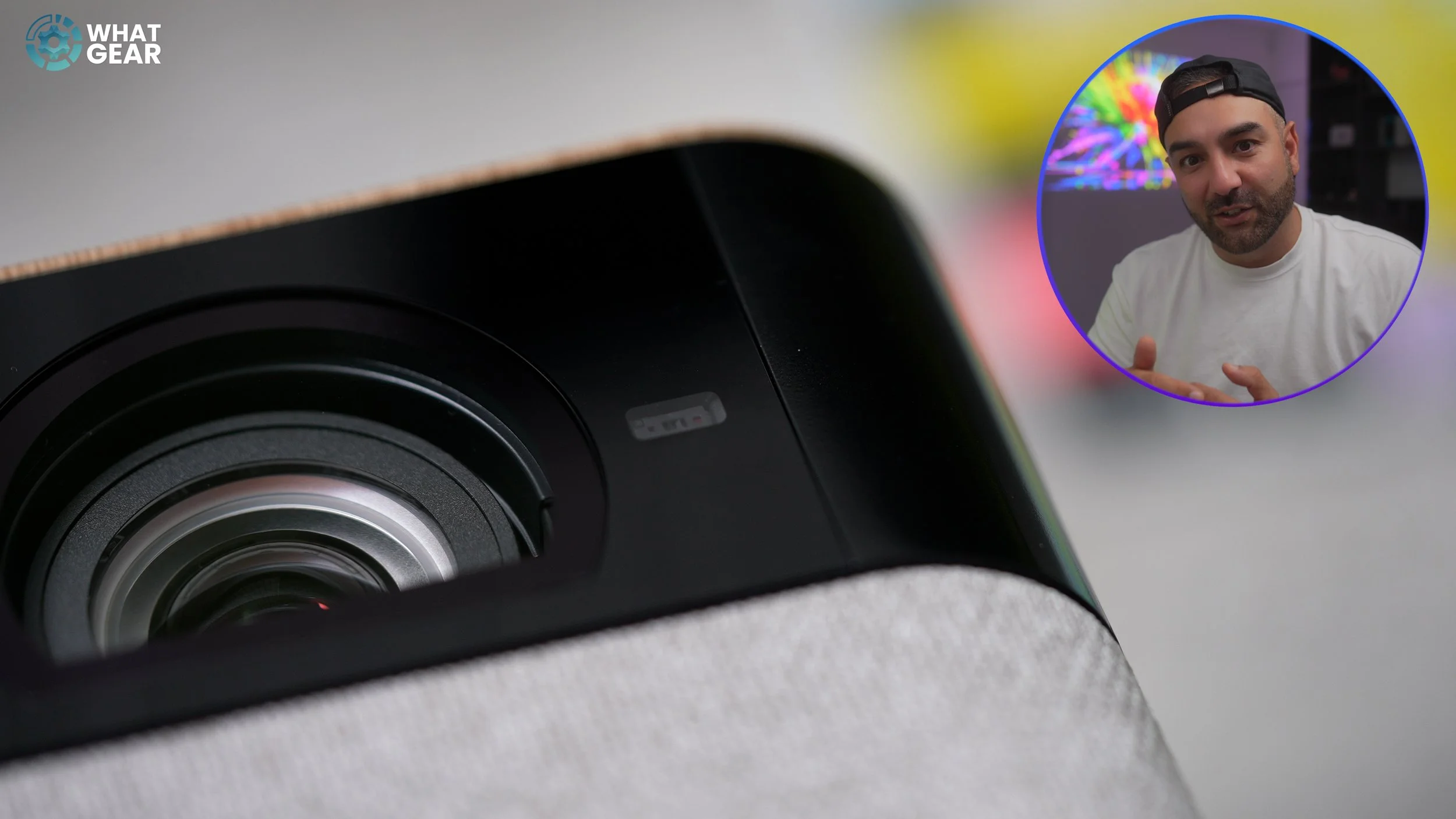
Now, something you might also appreciate about the EF 72 is its compact design. It measures 19 cm in width, 19 cm in depth, and approximately 25 cm in height on its stand. You can purchase a taller floor-standing version of the base if you prefer. However, with its default stand, it weighs just 4 kg, which means you can easily move it from room to room by unplugging it and grabbing it like an Olympic torch.
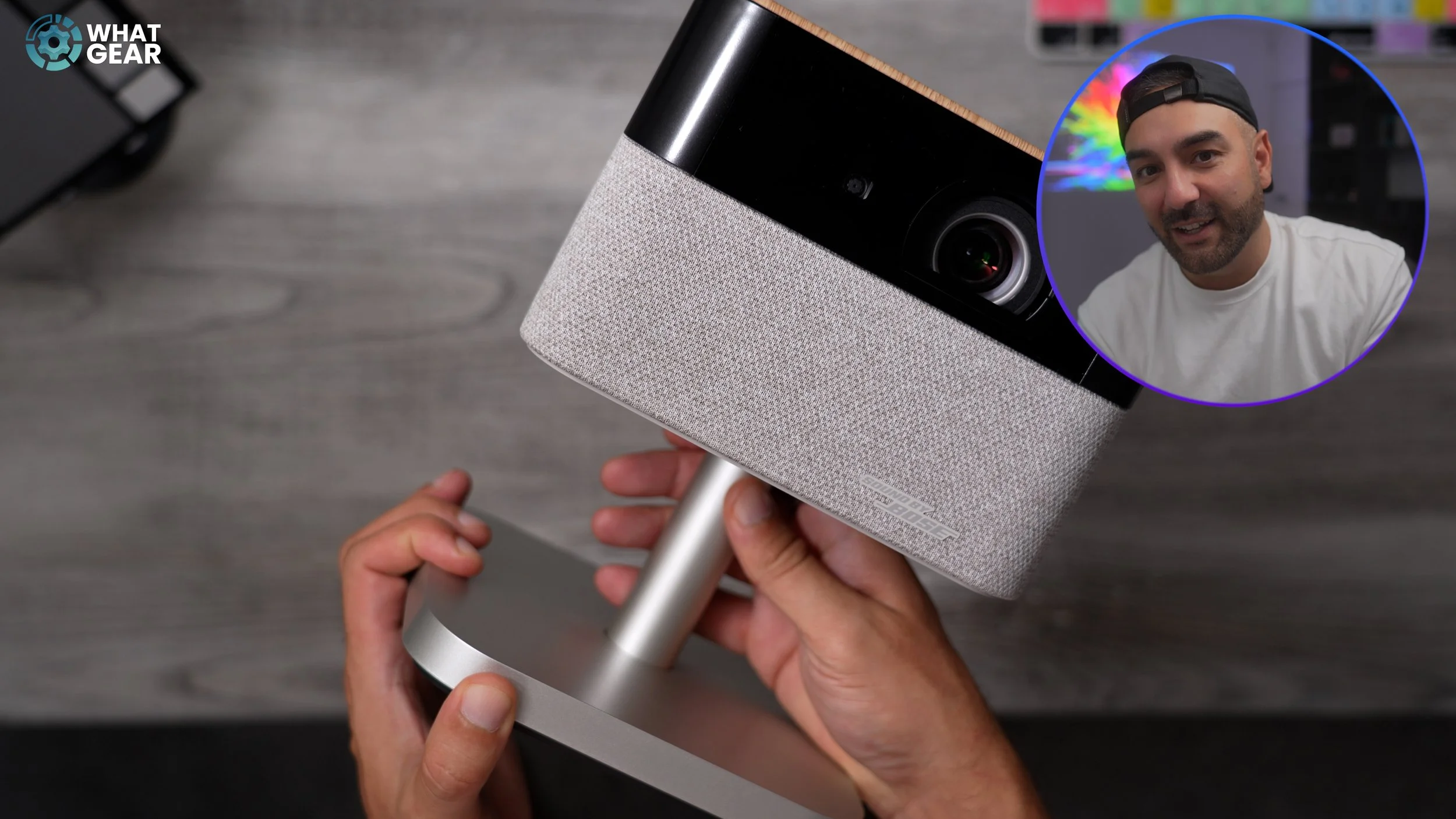
Here is one of the first features that surprised me. Epson has partnered up with one of the best in the business when it comes to home audio. The EF 72 has been fitted with stereo speakers tuned by Bose. The total output is 10W, and they're the best-sounding built-in speakers I've heard on a projector to date. What surprised me the most about the audio is the bass levels, the depth of the sound, and the clarity. Generally speaking, most built-in speakers on projectors are often an afterthought and sound quite tinny and hollow. But that is not the case here. With that said, it sounds good, but there are more options if you want more authentic cinema sound.

Now here's the second feature that surprised me. Normally, projectors when not in use just sit around collecting dust and are kind of useless… but not this one. The EF72 was not only designed to look like a table top lamp, but it's also designed to function like one too. See this top surface, which resembles a piece of Oak. It's actually a touch control area that recognises taps. To activate the built-in LED light bar underneath.
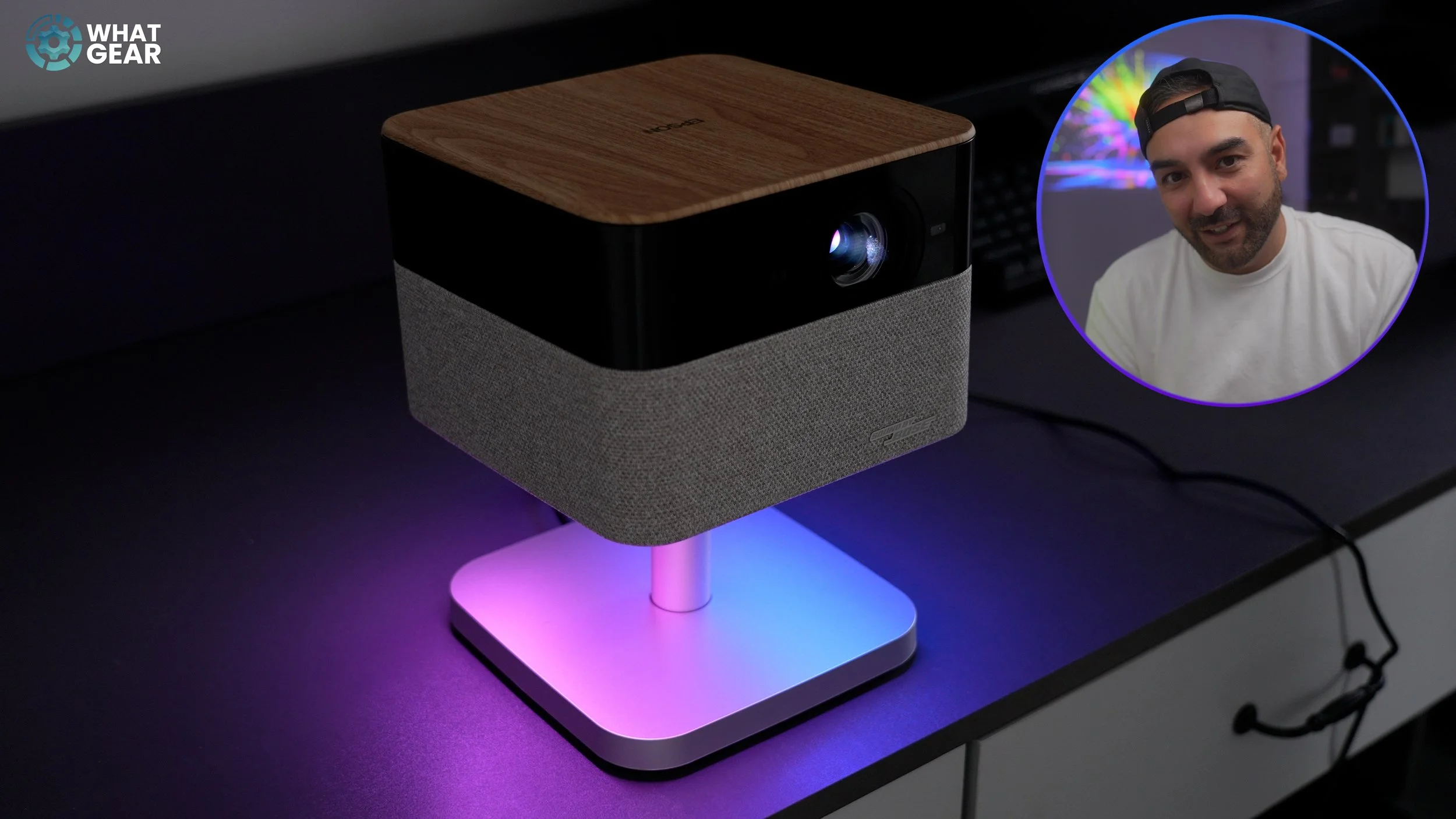
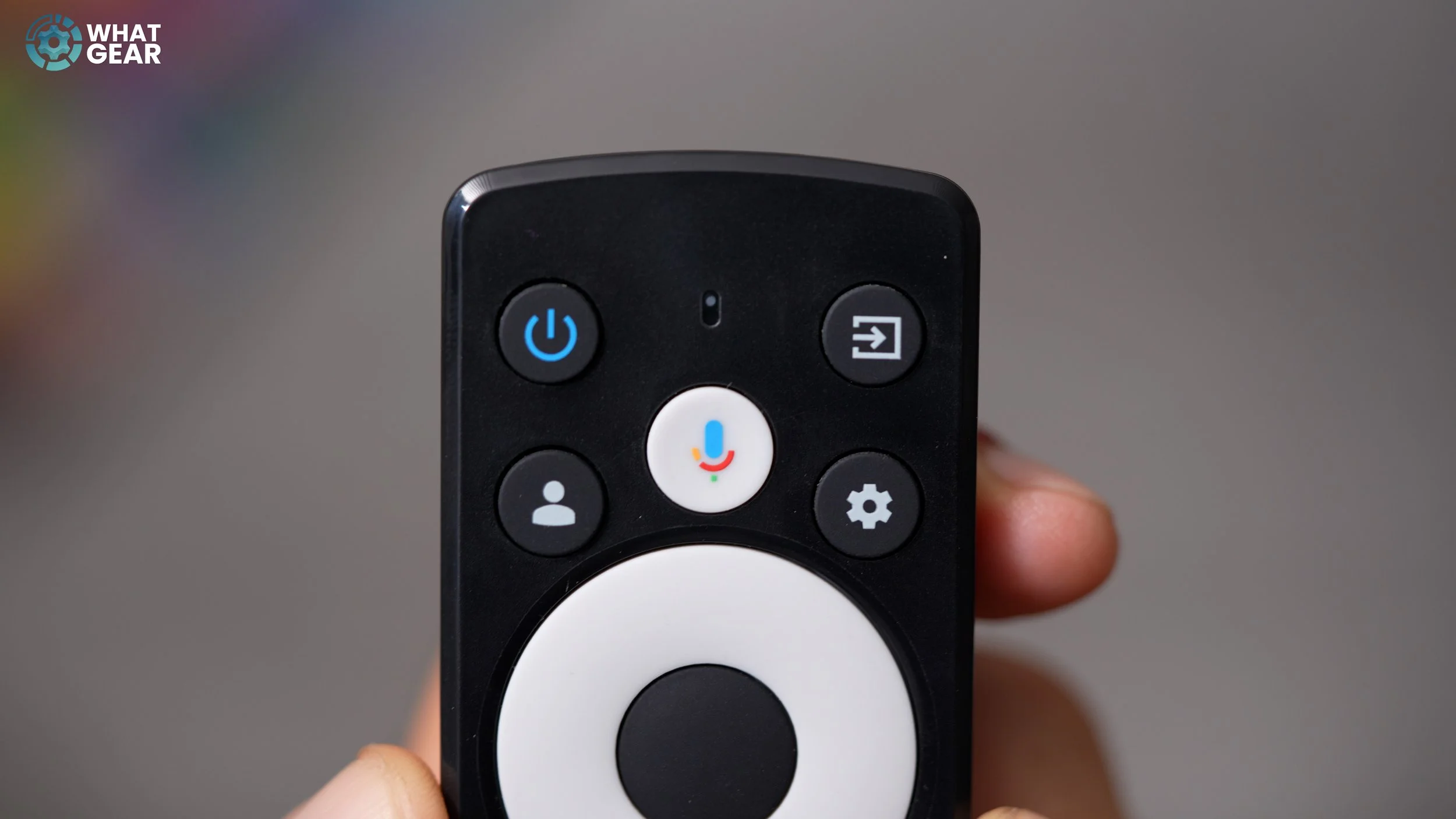
You can tap the top, and tap again to adjust the brightness, and if you tap and hold, you can cycle between the colour modes. This is functionality that I've never seen on a projector before. The EF 72 does ship with a remote, and it's a smart remote. It has a built-in microphone for accessing the Google Assistant, which is by far the quickest and easiest way to find what you're looking to watch. It also provides fast access to the brightness controls and allows you to switch user profiles, along with the usual buttons. There are also some shortcut keys here.
Ports
Now let's get into some of the need-to-know stuff, starting with the ports. While it's nice that the EF 72 can operate completely stand-alone. You can connect a games console, a Blu-ray player, or a laptop, and there is one HDMI port available for that. Interestingly, this port isn't just an input; it's also an enhanced audio return channel, which means it can send an audio signal back to the source. You can use this HDMI port to connect a proper Dolby Atmos sound system or sound bar to the projector, which will significantly enhance your home theatre experience.
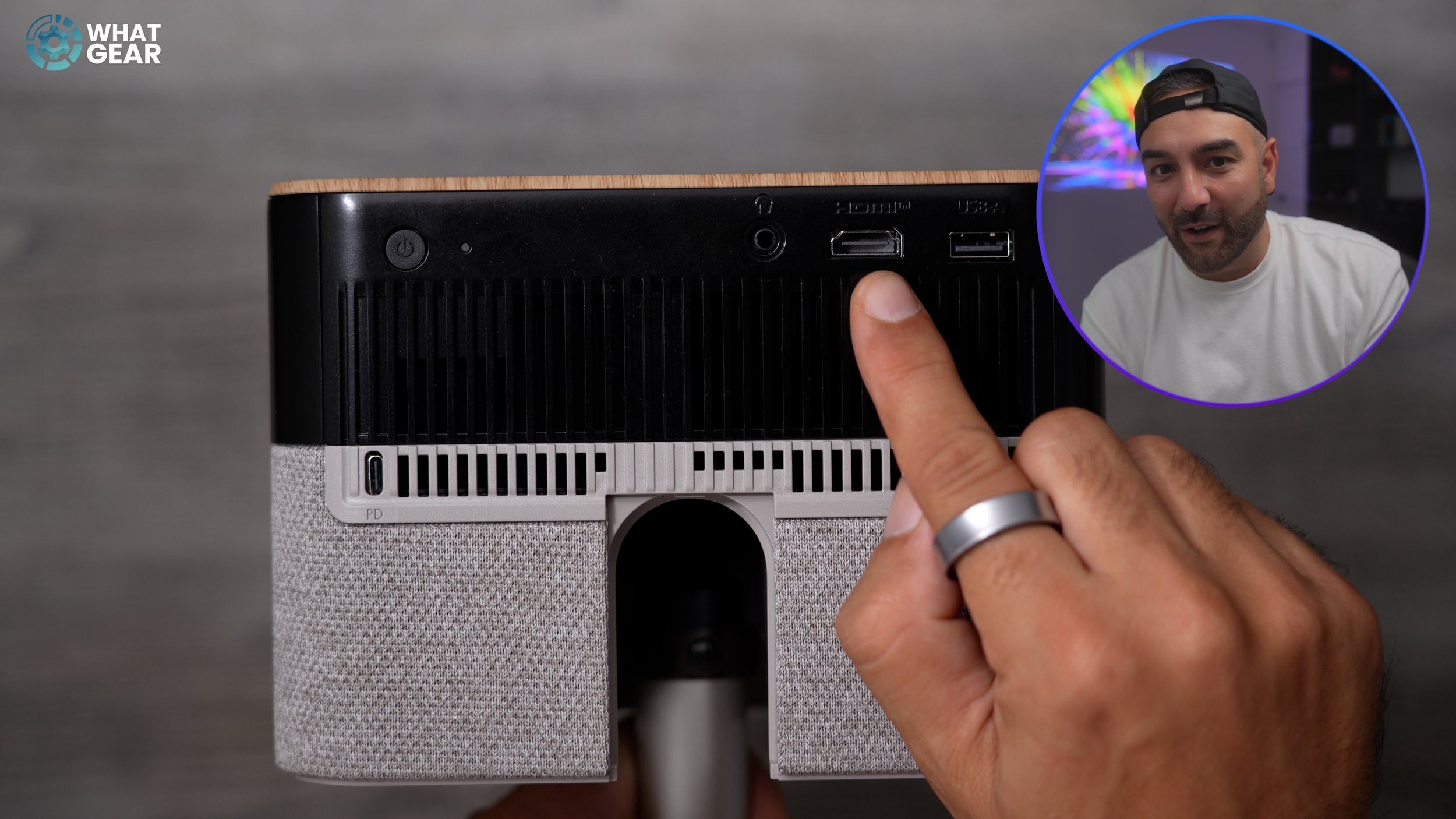
There's also an analogue audio jack for stereo audio or headphones. And there is a third method, which involves utilising the BT connectivity to pair a speaker. There's also a USB-A 2.0 port. This means you can connect a hard drive or USB flash drive and play content from it, even when the internet is unavailable. There's also an interesting Epson app that allows anyone to project content to the projector via a QR code. Which could be nice for sharing holiday pics, memories and things like that.
Picture Quality
Now let's talk about display tech. The EF 72 is powered by Epson's 3LCD x RGB-LED system, backed by a triple-core engine. The upside to this approach is accurate colours and super-fast image processing & also the lifespan of the projector. Brightness is rated at 1000 lumens, which is certainly powerful enough for a home projector. It's capable of delivering a 4K Pro UHD picture at up to 150". The contrast ratio is listed at five million to one. Of course, the lighting in your environment will affect this. The darker the environment, the better the contrast, and in darkness, it performs exceptionally well, supporting both HDR10 & HLG. The ideal throw distance ranges from just 0.8 metres to approximately 4 metres, which gives you a screen size of around 30 inches to 150 inches. Whether you're in a small or large space, this projector can adapt accordingly.
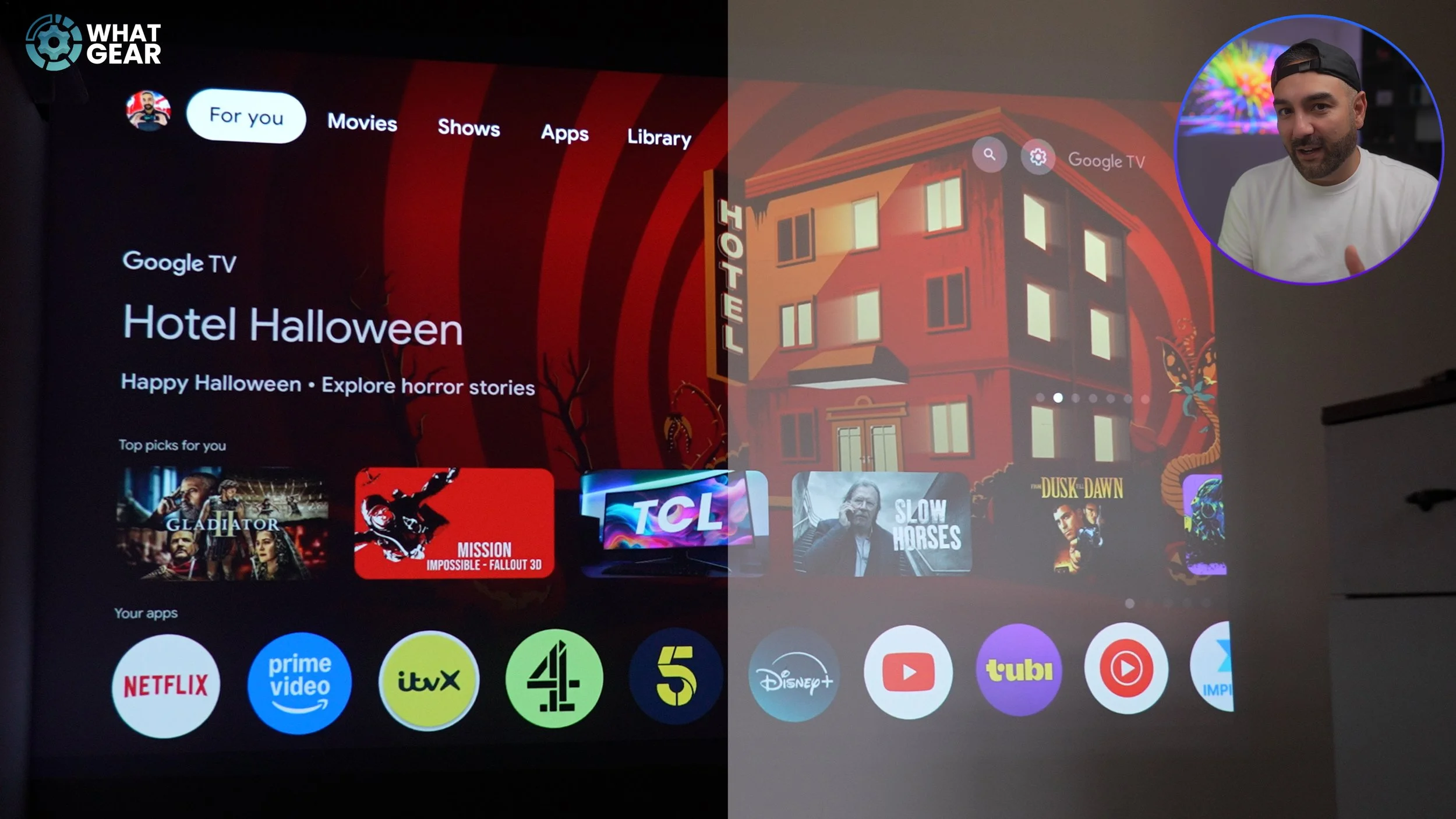
So, what is it like to watch? There's no question you'll enjoy the EF72 most in a dimly lit or dark room. The sweet spot for the best detail, colours, and tack-sharp picture for me personally is at around 2 to 3 meters away. This gives you around an 80" display. And it looks fantastic. There are three default picture modes: Standard, Cinema, and Vivid. The Cinema mode is by far the best and most accurate of the three. You can create your own profile if you know what you're doing. In brighter light settings, the 1000 Lumens is still enough to power through and produce a nice picture, ideal for more colourful content, such as cartoons and daytime TV shows. However, darker content won't look quite as lovely in the daylight. But that's what curtains are for. Here's how the projection looks in the studio with no light, 50% brightness on my studio light and 100% brightness.
Here's who the Epson EF 72 would be perfect for. If you simply do not want to drill holes in a wall to mount a TV, or you just don't want a TV permanently in a fixed location. This EF 72 solves that problem. If you have a small space, but what a big screen that doesn't take up space. Again, this is perfect.
If you want to have the option to binge-watch the latest movies and TV series with your friends and family on a big screen in any living space. You can do that. And if you need a new lamp… You could get one of these & don't tell anyone what you paid for it. Because when the time comes to use it, you can surprise everyone with its 4K superpower, and they'll totally understand why the price is what it is.